
Procedure
Reusable instructions for performing business work.
Trigger*, Step*, Parameters° and Critical Observations° describe execution. Metrics measure the procedure; Recurrence Configurations schedule requests; Content documents it. The three Owner fields now link to Position, Team and Department. Choose exactly one owner across them. Ownership Assignment links Assignment Role. Active means a procedure is in effect; it does not prove a running workflow.
Use and boundaries
Field names below are the current product labels. * and ° are UI markers, not database constraints. A preferred single-record selection is not a global cardinality constraint either. The related guide explains operational rules.
Fields
| Field | Storage | Source, options or boundary |
|---|---|---|
| Name* | Text | Stored value. |
| Description* | Long text | Stored value. |
| Owner (Position)° | Linked records | Position; select one record in only one Owner field. |
| Owner (Team)° | Linked records | Team; select one record in only one Owner field. |
| Owner (Department)° | Linked records | Department; select one record in only one Owner field. |
| Trigger* | Text | Stored value. |
| Uses Tool | Text | Text reference; not a linked record. |
| Runs On | Text | Text reference; not a linked record. |
| Step* | Long text | Stored value. |
| Parameters° | Long text | Stored value. |
| Critical Observations° | Long text | Stored value. |
| Automation Evidence | Single select | Documented Only, Verified Run |
| Lifecycle Status* | Single select | Draft, Proposed, Active, On Hold, Completed, Cancelled, Archived |
| Metrics | Linked records | Metric |
| Recurrence Configurations | Linked records | Recurrence Configuration |
| Assignments | Linked records | Assignment Role |
| Documented By | Linked records | Content |
| Incidents | Linked records | Incident |
| Ownership Assignment | Linked records | Assignment Role |
| Tags | Linked records | op:tags · optional labels from the Core Tags catalog; classification only. |
| Created | Created time | Generated automatically; orders intake queues. |
| Owner Position Count | Count | Number of linked positions. |
| Owner Team Count | Count | Number of linked teams. |
| Owner Department Count | Count | Number of linked departments. |
| Intake Check | Formula | Required-text and owner-count warnings; does not prevent writes. |
| Intake Step | Formula | Routes Draft and blank status through the three steps. |
Example and maintenance
Illustrative example: “Prepare service report” lists steps and links its supporting document and collection schedule.
Use the existing fictitious records to inspect relationships in the guide. Before changing fields, check lookups, formulas, intakes and workflow contracts. This page documents structure; a field does not prove that an integration populates it.
Create a procedure
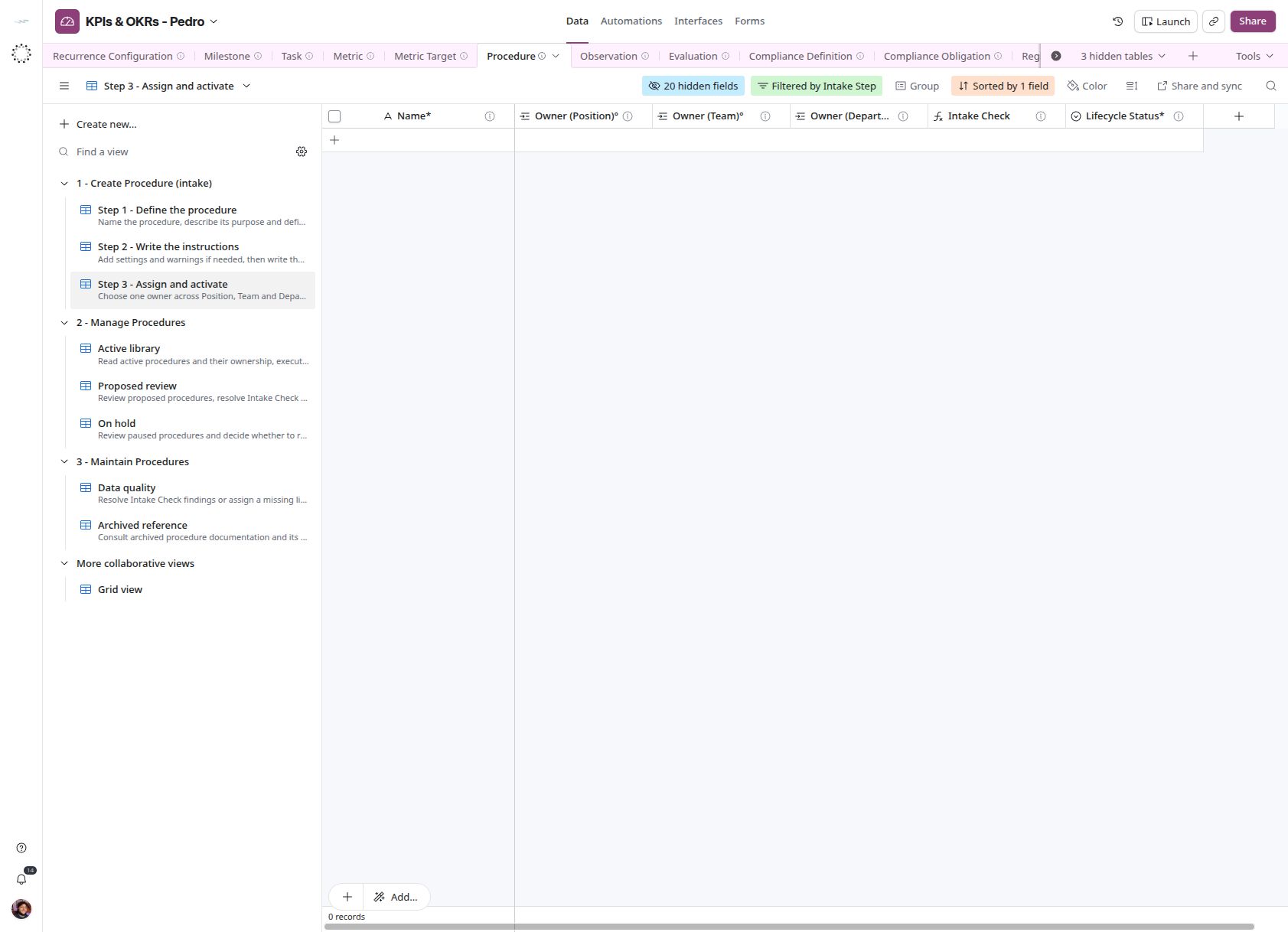
In Data, open 1 - Create Procedure (intake). Field and view names remain in English.
- Step 1 - Define the procedure: Create a row and fill Name*, Description* and Trigger*. The view prefills Draft; the record advances when all three contain text.
- Step 2 - Write the instructions: Fill Parameters° and Critical Observations° if needed, then Step*. Entering the instructions sends the record to validation.
- Step 3 - Assign and activate: Select exactly one owner across the three Owner fields. Resolve Intake Check warnings and set Lifecycle Status* to Active.
Whitespace does not count as input. Step 1 shows newest records first; later steps prioritize oldest records. Checks are advisory, not status restrictions. Use Data quality to recover records with no status and assign Draft to start.
Management and maintenance
- Active library: Read active procedures.
- Proposed review: Review proposals, resolve warnings and decide the status.
- On hold: Reconsider paused procedures.
- Data quality: Fix Intake Check warnings or missing lifecycle status.
- Archived reference: Consult archived procedures.
Proposed is outside the creation intake: return it to Draft when revisions are needed. Completed and Cancelled remain accessible in the original Grid view. No archiving automation was added. Uses Tool and Runs On remain text. The check requires Runs On when Automation Evidence is Verified Run, but does not verify execution or linked evidence.
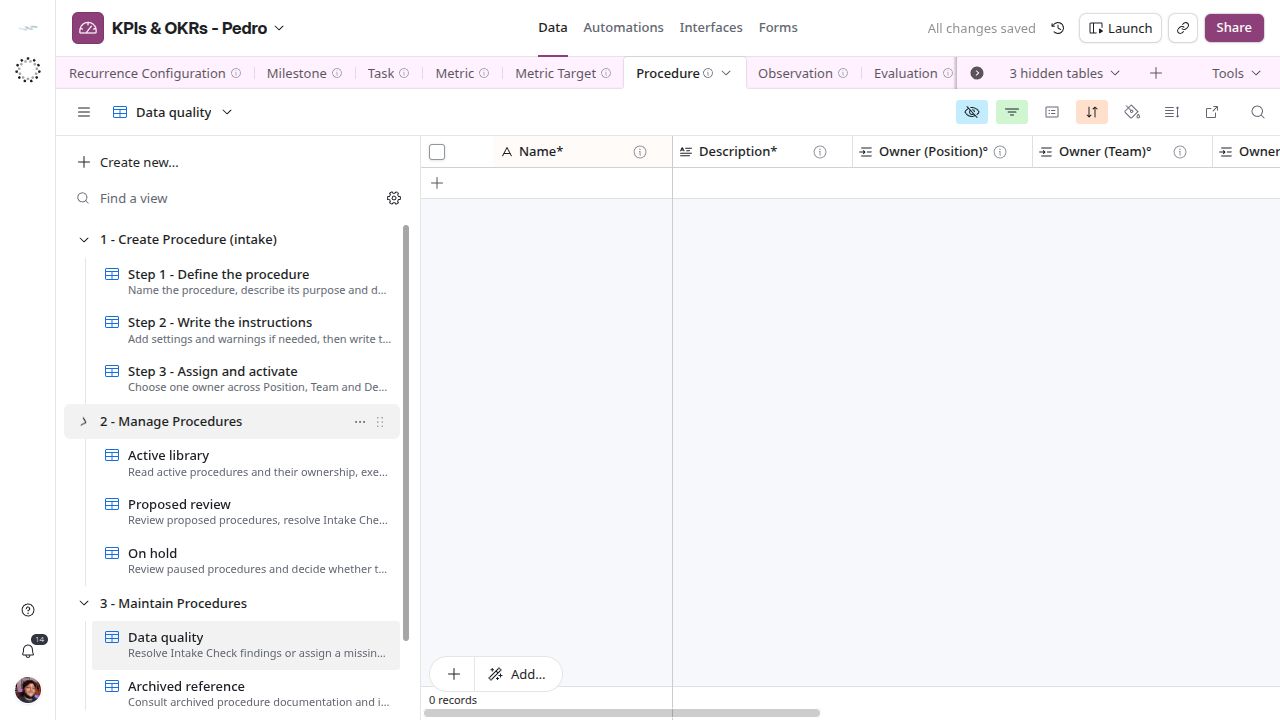
The table was empty on October 22, 2026, so there is no end-to-end example yet.