
Review results
Inspect collection quality and distinguish recorded evidence from calculated performance.
Review from Data views
Open the Data tab in KPIs & OKRs - Pedro. Start with CEO - KPI commitments in Recurrence Configuration, then open CEO - Reported results in Observation. These are saved grid views over the existing records.
| Table | View | Use |
|---|---|---|
| Recurrence Configuration | CEO - KPI commitments | Active commitments by company and owner; cadence, target, unit and direction. |
| Observation | CEO - Reported results | Recorded submissions by company, metric and person, newest first; value, period, notes and evidence. |
| Recurrence Configuration | CEO - No submissions yet | Active schedules with no linked observation at any time. This is not an overdue queue. |
| Observation | CEO - Collection review | Submissions not marked Recorded, including blank status; inspect Collection Error and Intake Check. |
| Milestone | CEO - OKR progress | All milestones by business unit and status, earliest target date first. Progress is manual. |
| Metric | CEO - KPI catalog by company | Metric definitions by company, alphabetically; unit, direction, cadence and linked targets/results. |
Expand a row for all its fields and linked records. In Reported results, open Recurrence Configuration° in the expanded row to inspect the target. Check that the metric, person, period and unit match before comparing a value with a target. Collection status does not establish target achievement.
No submissions yet checks whether any observation is linked, not whether every person has submitted for the current period. A schedule with several accountable memberships can leave this queue after one response.
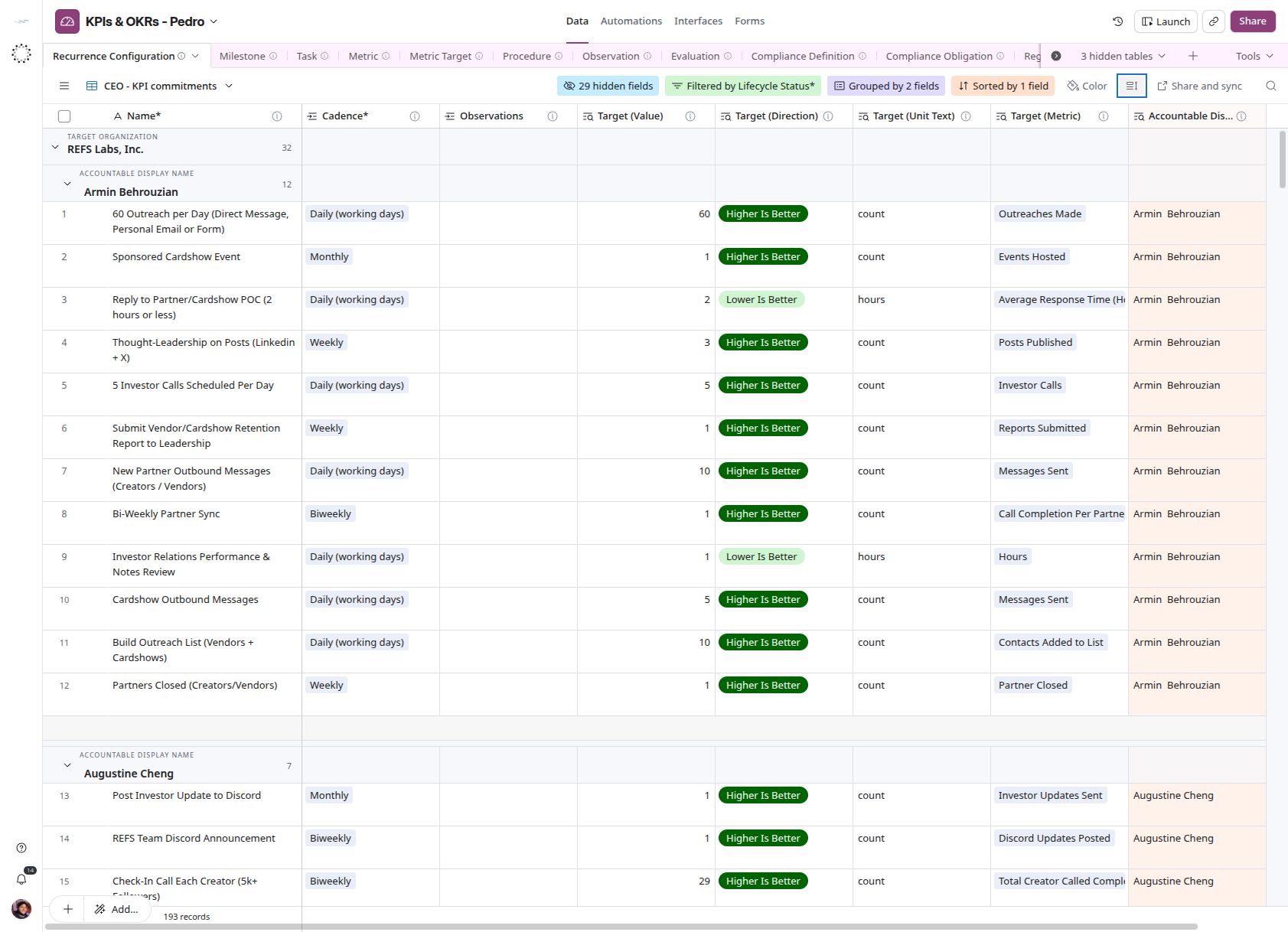
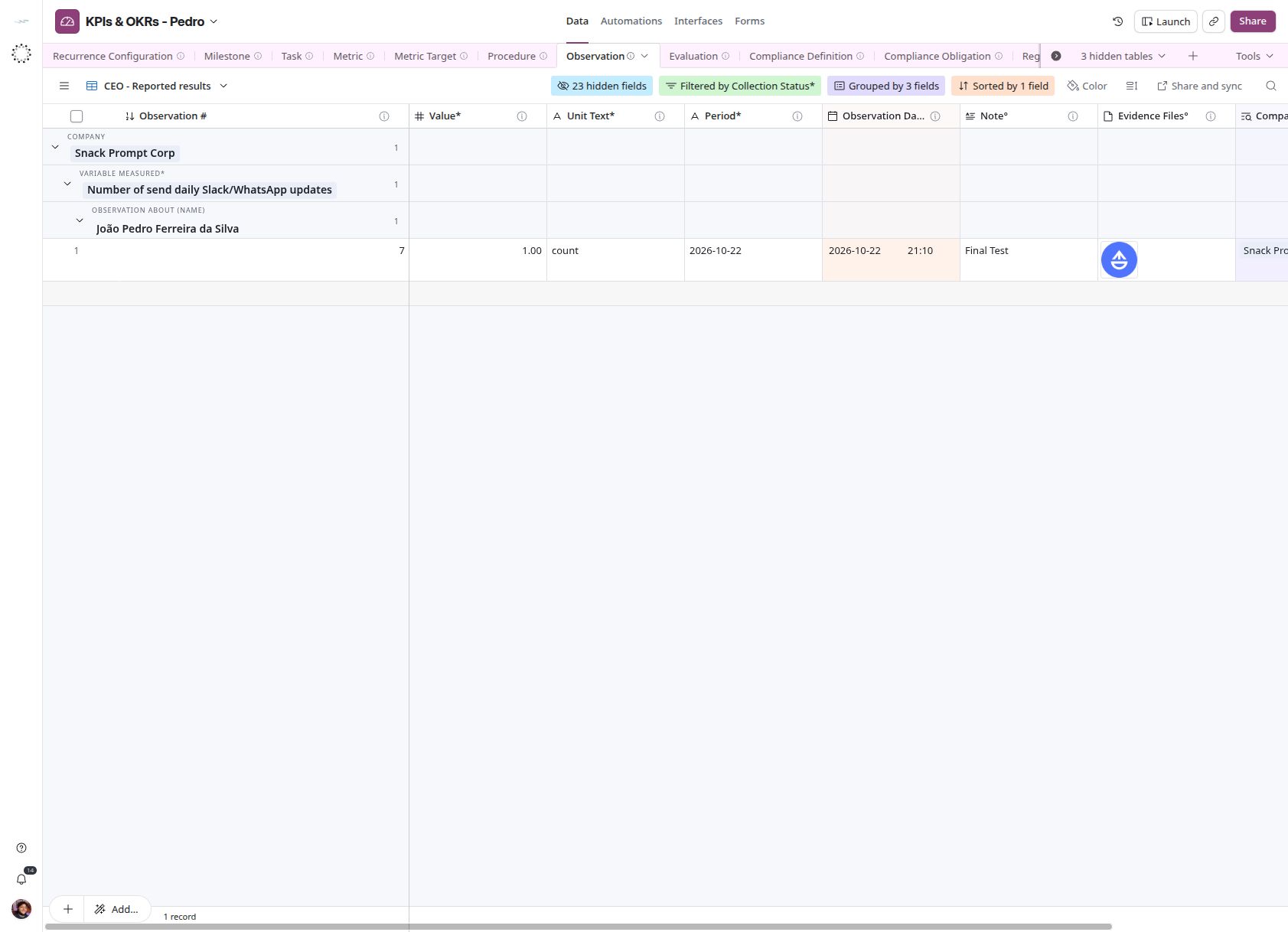
On October 28, 2026, the base had 159 metrics, 193 targets, 193 schedules and one observation, Recorded on October 22. Daily Digest has asked for real since October 26, so an empty Reported results view means nobody has answered, not that every value is zero. Observation also has a By People view, grouped by the text field Observation About (Organization); it has no description and is not a review queue.
Company context
Company is a read-only lookup of Observation About (Membership)* and its Business Unit link to Organization. It displays the company of the measured membership. The existing free-text Observation About (Organization) is a separate field and is not the source for CEO grouping. A missing membership or Business Unit leaves Company blank. This lookup reflects the current relationship, not an immutable historical snapshot.
Interpret collection states
| State | Meaning | Action |
|---|---|---|
| Processing | Value saved; completion or evidence transfer pending | Wait, then inspect the workflow if persistent |
| Recorded | Collection completed | Review correctness and evidence |
| Failed | A saved response encountered a failure | Read Collection Error and recover the same key |
| Blank | Manual or legacy entry without a collection decision | Validate before marking Recorded |
A no-attachment view is a review queue, not automatic proof of invalid data: evidence is currently optional in the collection configuration.
Interpret evaluation
Evaluation links input observations and targets to a named policy. The configured names are task-completion-v1, kpi-average-v1 and expected-pace-v1; names alone do not establish equations, weights, rounding or ranking. Neither the three workflows nor any native base automation runs an evaluator. Milestone.Progress is stored, not calculated. Do not sum mixed units or count responses as target attainment.
Correct a result
Reopen the existing Slack item to correct its value or note. The current workflow updates the existing Observation and retains old attachments; it does not create immutable revisions or remove evidence. For manual entries, correct the identified record and preserve an explanation in Note°. If audit-grade history is required, the missing versioned-edit contract must be implemented separately.