
Collect results
Follow a metric from setup to a recorded Slack response.
Use this guide when you need a recurring numeric result with evidence. The setup owner prepares the metric, target and schedule; the reporting member responds in Slack.
Before you start
You need access to the KPI base and the reporting member must have a Slack identity connected to the intended workspace. Daily Digest asks every accountable membership with something due, every day; there is no test recipient. Screenshots show existing fictitious records; an empty intake means no record currently needs that step.
Follow the flow
| Step | Who | Action | Ready when |
|---|---|---|---|
| 1 | Setup owner | Define metrics | Unit, direction, cadence and required settings are filled |
| 2 | Setup owner | Set targets | One subject, a period and an expected value are defined |
| 3 | Collection owner | Schedule collection | Owner, cadence and target match; Intake Check is clear |
| 4 | Reporting member | Submit results | Value and evidence are saved and the message updates |
| 5 | Reviewer | Open Observation → CEO - Reported results | The Observation is Recorded for the correct metric and period |
Recognize success
A recorded response appears in CEO - Reported results, grouped by Company, metric and person, newest first. On 2026-10-28 that view held one result, recorded on 2026-10-22. Use the period and metric to identify the intended record; a total across periods is not the value of one response.
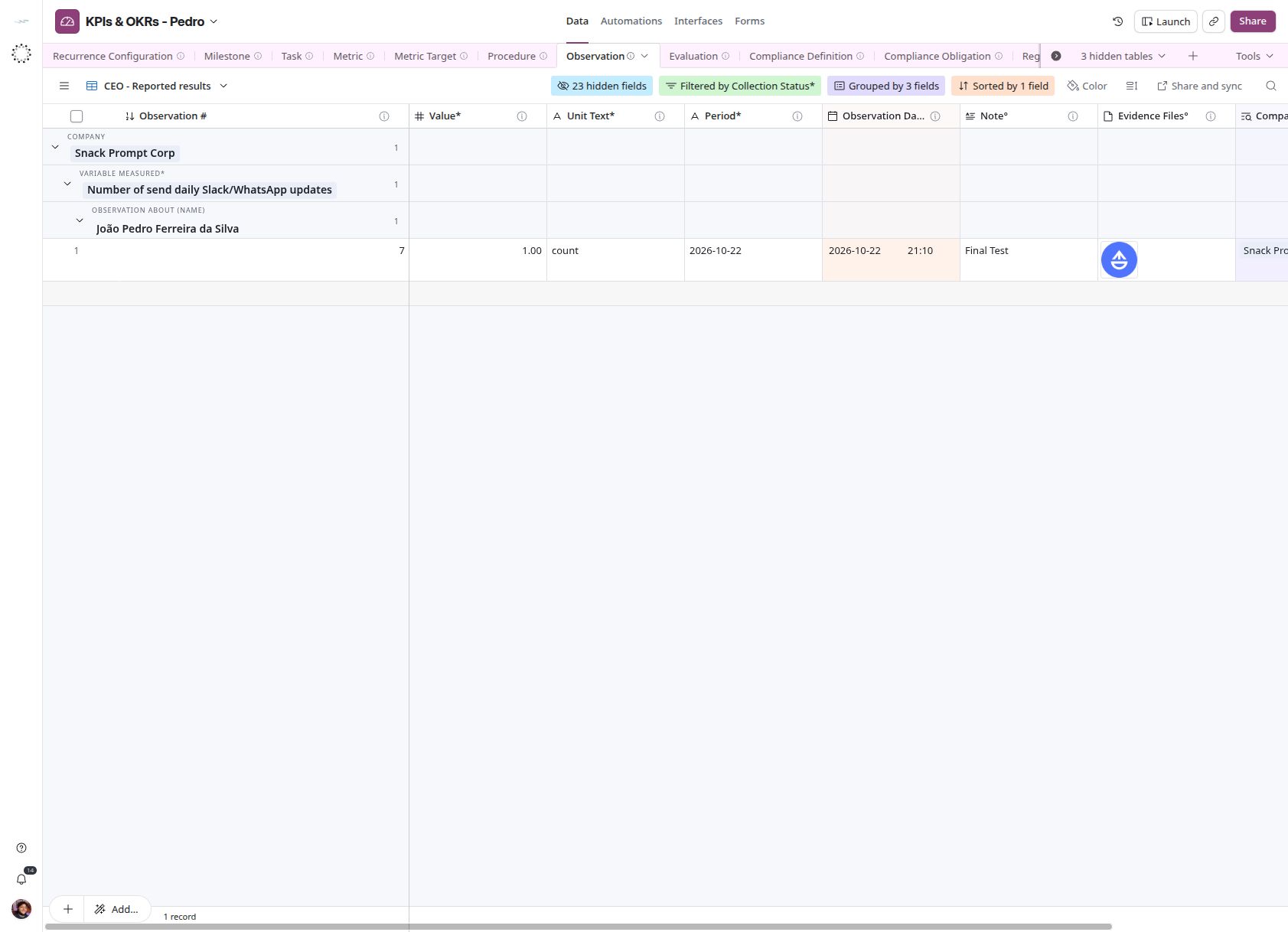
Open Data → Observation → CEO - Reported results. Compare the metric, value and period before reviewing evidence. Click an image to view it at full size.
If the flow stops
A record that remains in an intake has something to finish or correct. Read Intake Check and return to the relevant step. A Slack retry message does not confirm a saved response. Check the existing Observation before repeating a submission. Detailed behavior is covered in Submit results and Automations.