
Submit results
Record the value and evidence in Slack, then verify the Observation.
Use the To Do message for the requested period. Clicking a task opens the collection form; a click alone does not save a numeric response.
Open the form
Select the task’s checkbox. A loading view may appear before the metric details. Check the name, period, goal and unit before entering anything. A completed response can reopen with its saved value and note.
Enter value and evidence
Fill Quantity, add a Note when useful, and use Evidence to attach the requested files. Follow the requirement shown by the form. The current form accepts up to four images or PDFs, with a maximum of 5 MB each. On a reopened result, it states that previous evidence is retained.
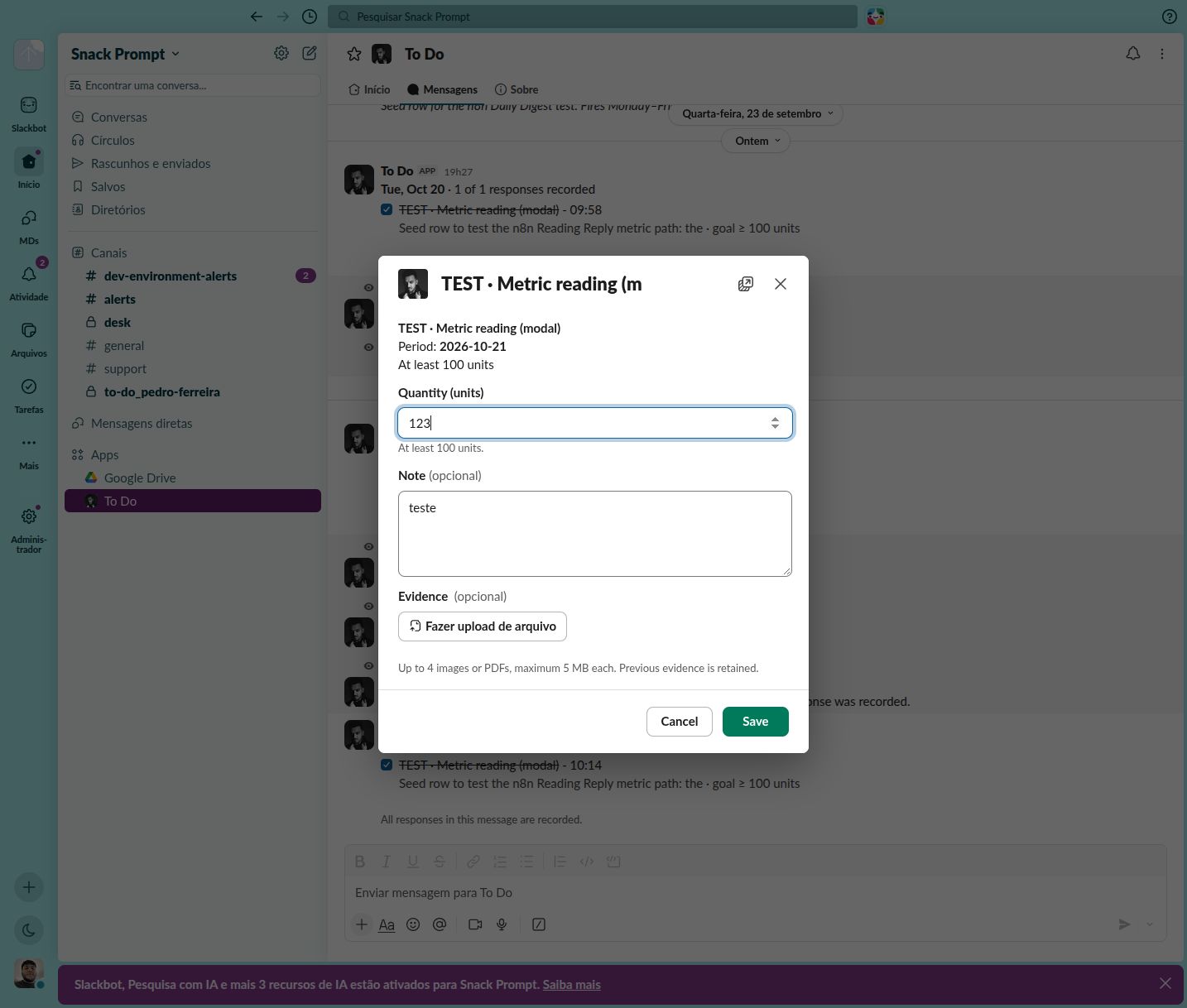
This capture shows an existing response reopened. Native Slack controls can follow personal language settings.
Save and verify
Choose Save once, then wait for the original message to update. A recorded response shows a checked, struck-through task with a time and an updated response count. Use Cancel to leave the form without saving changes.
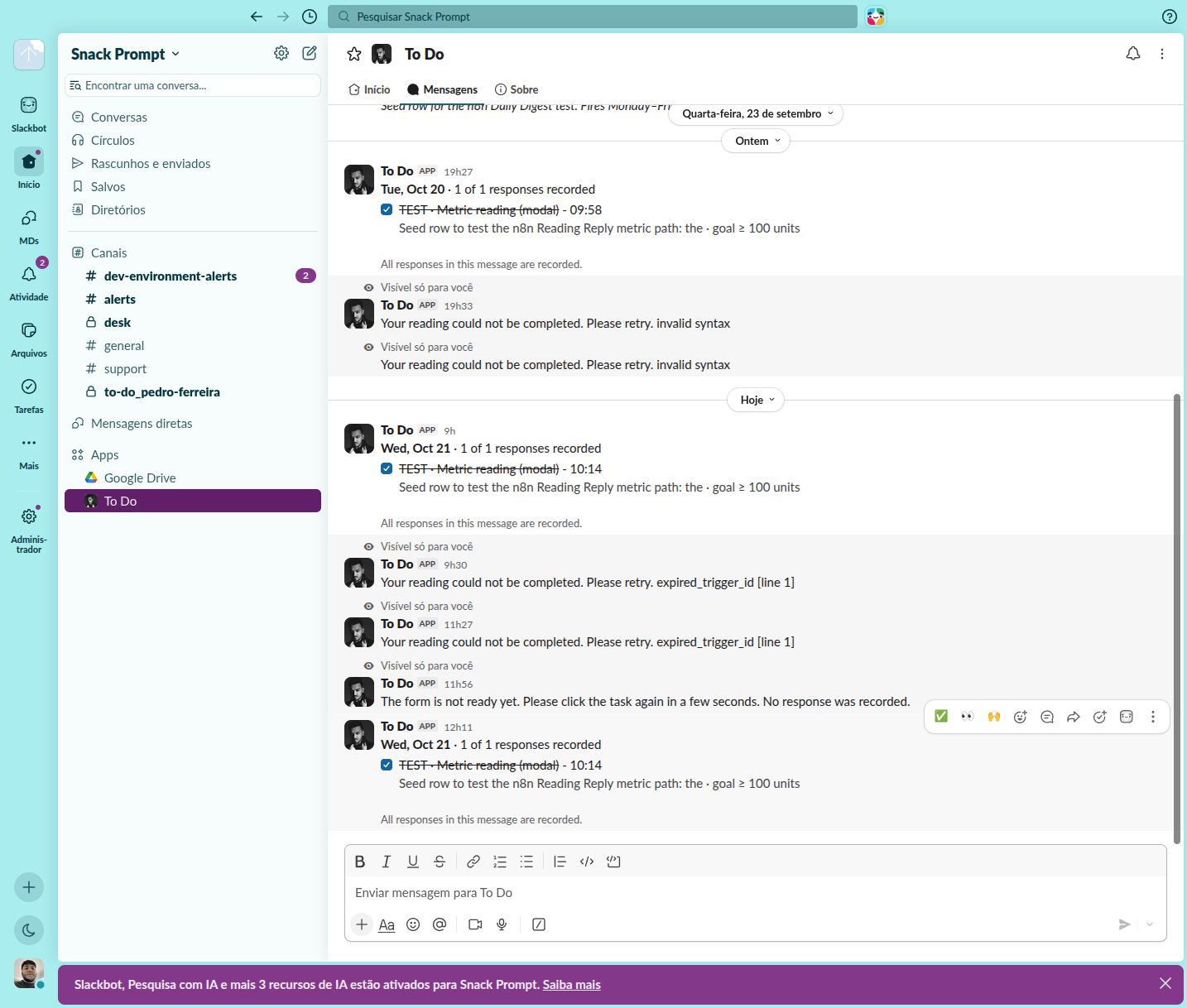
The completed message confirms collection. Older messages in the conversation are history, not errors from the displayed response.
Open Data → Observation → CEO - Reported results. Find the same metric and period, then compare Value, Unit Text and Collection Status. Inspect Evidence Files in the record; a checked task alone is not a review of the evidence.
If you cannot finish
If the form asks you to retry, wait a few seconds and click the task again. That feedback says no response was recorded by that attempt. If you are unsure whether Save succeeded, check CEO - Reported results before resubmitting. For Processing or Failed results, inspect Collection Error and ask the maintainer to review the failed stage.
A missing token or an expired Slack trigger does not justify switching to a different workspace’s credentials. Maintainers should follow Automations.