
Data views
Every view in Systems Central, what it filters and when to use it.
The base has 16 grid views across 10 tables. None is a grid intake. Names, filters and groupings below are as configured on 2026-10-28.
Review queues
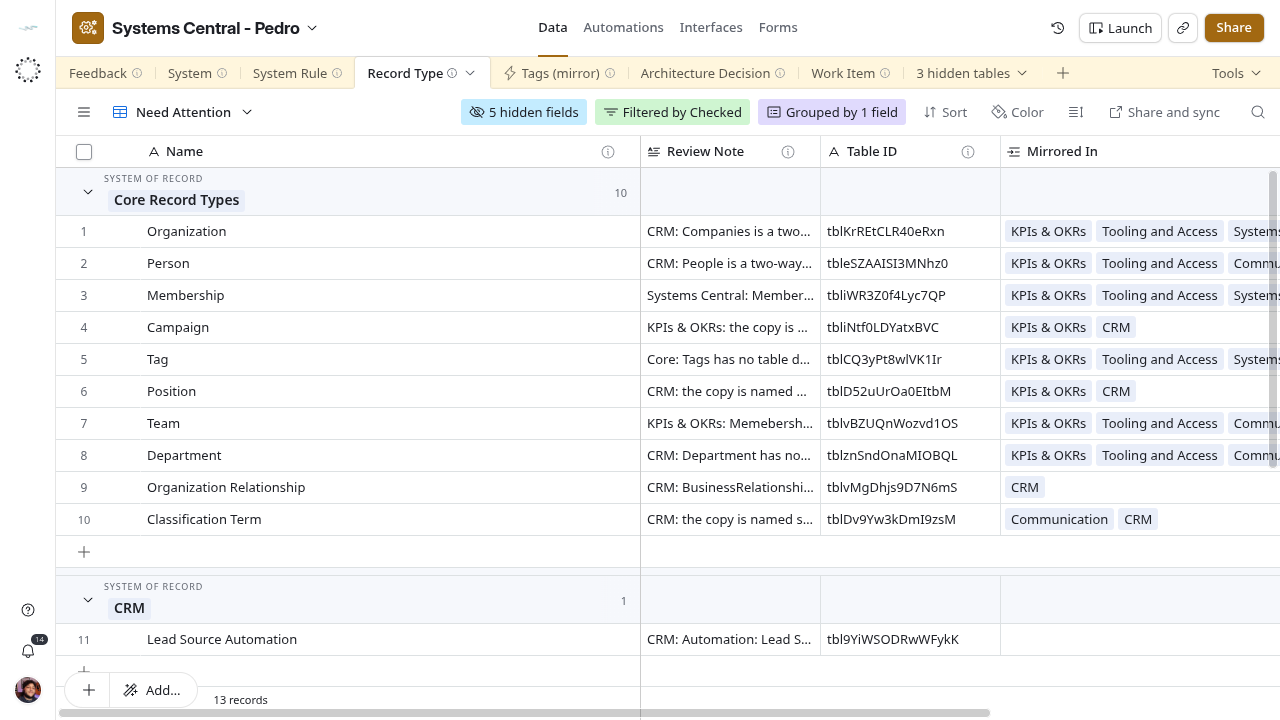
Only one view filters on review state: Record Type → Need Attention shows rows whose Checked box is unticked, grouped by System of Record, with Review Note visible. System Rule and Work Item have no equivalent view yet. Filter Checked in their Grid view, or sort by it, until one exists.
Complete view catalog
System
| View | Filter and grouping |
|---|---|
| schema:SoftwareApplication | All rows |
Record Type
| View | Filter and grouping |
|---|---|
| per System | All rows, grouped by System of Record |
| Need Attention | Checked unticked, grouped by System of Record |
| Grid view | All rows |
System Rule
| View | Filter and grouping |
|---|---|
| per Scope | All rows, grouped by Scope then Kind |
| by Kind | All rows, grouped by Kind then Scope |
| Grid view | All rows |
Architecture Decision
| View | Filter and grouping |
|---|---|
| Grid view | All rows (empty) |
Work Item
| View | Filter and grouping |
|---|---|
| Grid view | All rows, all 20 fields, no sort |
Feedback
| View | Filter and grouping |
|---|---|
| Grid view | All rows, all fields |
| CRM - Feedback (dont change the filter) | System Key = CRM; eight fields. Source of the CRM Feedback sync. Do not edit its filter or visible fields |
| Operations - Feedback (dont change the filter) copy | No filter, despite its name. No consumer verified |
Mirrors
| Table | View |
|---|---|
| Membership (mirror) | Grid view |
| Organization (mirror) | Grid view |
| Tool (mirror) | Grid view |
| Tags (mirror) | Grid view |
Views other bases depend on
A view used as a sync source behaves like an interface contract. Changing its filter or hiding a field changes what the other base receives. The CRM Feedback view says so in its name and description. Before changing any Feedback view, check Architecture and ownership.