
Record rules and decisions
Write a System Rule or an Architecture Decision so others can check against it.
Reviewed 2026-10-28Markdown
Outcome: a rule anyone can check a record or a design against, or a decision whose status and scope anyone can read without opening the document.
Reader: the maintainer who settles a rule or a decision, usually at the end of a modelling session.
Record a rule
- Write the rule in full first, in the document that will be its source: the decision log, an architecture decision, a skill reference or the build rules. The row points there.
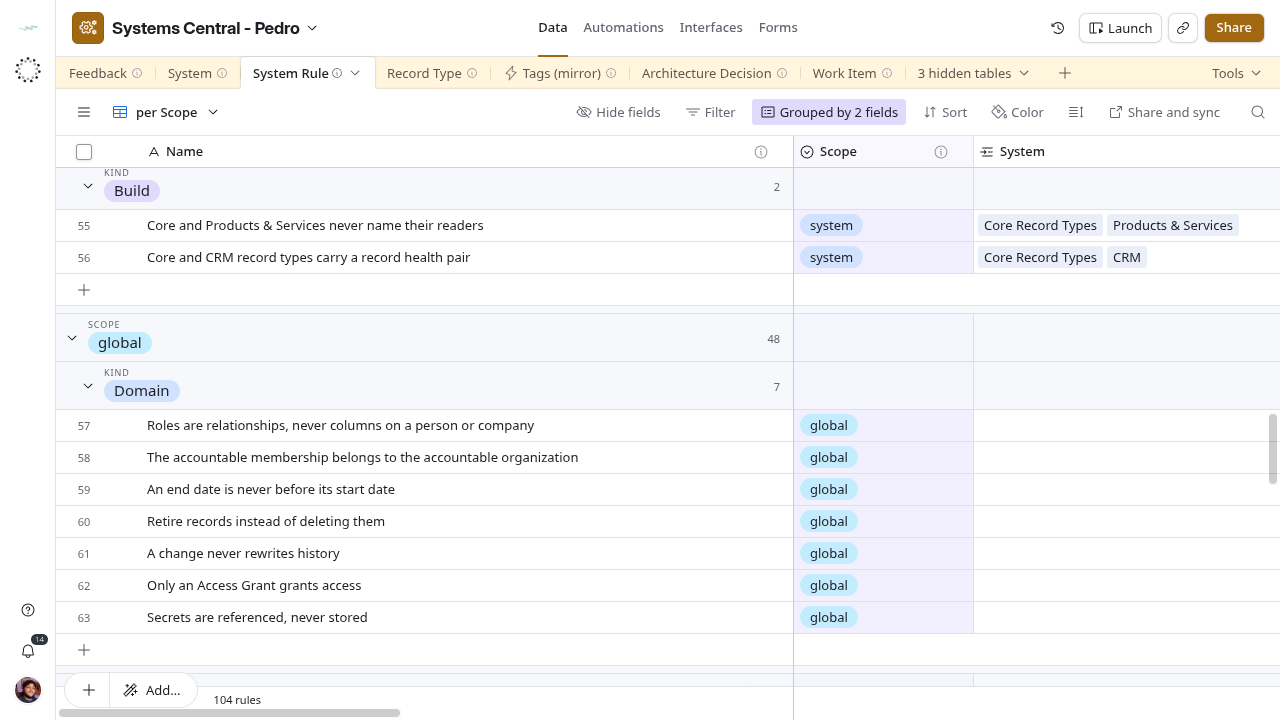
- Open Data → System Rule → per Scope. Search for an existing rule that already says it; extend it instead of adding a near-duplicate.
- Add a row:
- Name: the rule in a few words, as people would search for it.
- Description: what must hold and what happens when it does not, in one or two sentences.
- Kind:
Domainfor business data,Buildfor how the systems are made. - Scope:
globaland no System link, orsystemand link every System it constrains. - Applies To: each Record Type the rule talks about; blank for most Build rules.
- Enforced By: every mechanism that exists today. Choose
Not Enforcedwhen nothing checks it. Never select a planned mechanism. - Source: the paths of those documents with the section or number, separated by semicolons. Use committed paths, not
tmp/. - Based On ADR: the decision it comes from, once that decision has a row.
- Leave Checked unticked until someone confirms the wording, the links and Enforced By. Note doubts in Review Note.
Record a decision
Architecture Decision has no rows yet, and a Work Item is still deciding which decisions belong here. Until it is settled, write the decision as its own document and add it to the decision log, as today. When the table is in use:
- Take the next free ADR Number. Numbers are never reused, even for rejected decisions.
- Title: the decision as a short statement (
Field Service owns service visits), not the problem. Name fills itself asADR-0005 · Title. - Status
Proposed, Decision Date the day it was proposed, Summary two or three sentences, Document the link to the full text. - Link Systems and Record Types it changes, and Decided By once approved.
- On approval, set Status
Acceptedand the acceptance date. Building may start only then. - When it replaces an earlier decision, link that one in Supersedes and set the earlier one’s Status to
Superseded. - Tick Checked once the row matches the document.
Success
A rule shows under the right group in per Scope and on each linked System’s System Rules. A decision is cited by its Name everywhere, and each rule derived from it links it in Based On ADR.