
Manage price lists
Group offers for one channel and period, with one seller and one currency per list.
Outcome: an Active price list whose offers share one seller and one currency, with a blank List Check. A price list groups offers; it prices nothing itself.
Create the list
- Open Data → Price List → Step 1 - Name and scope list and create a Draft row.
- Add optional Sales Channel°, Valid From°, Valid Through°, Is Default° and Tags°. Leave Valid Through° blank while the list is current.
- Fill Name* with the audience and year. The row moves to Step 2 - Validate and activate list.
Do not fill Currency - OLD or Owner - OLD. They were retired on 2026-09-23 and nothing reads them.
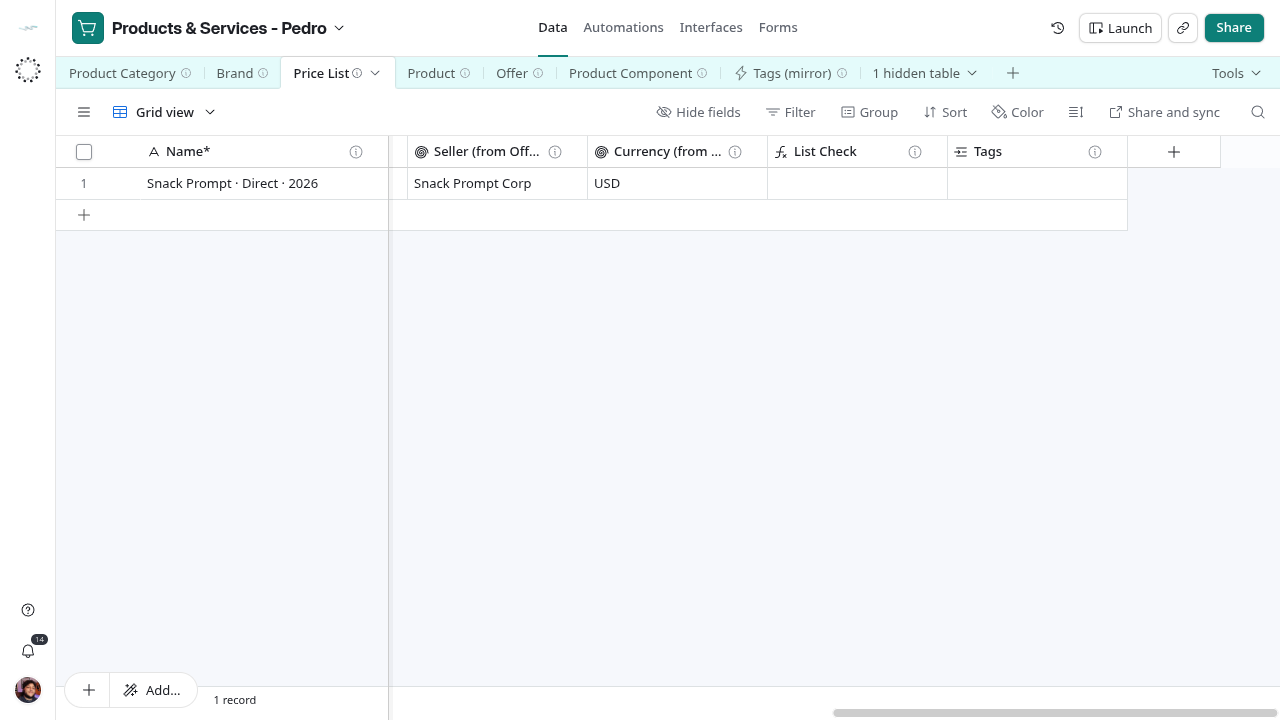
Reference grid captured on 2026-10-28, before the intake views and label updates. Use the current view names in this guide.
Add offers to it
Link the list from each offer: open Offer → Catalog and set Price List° on the offer row. The list’s Offers column fills itself. Seller (from Offers) and Currency (from Offers) then show the distinct sellers and currencies of those offers.
Check and activate
Open Step 2 - Validate and activate list and read List Check. It warns when offers come from more than one seller, are in more than one currency, or when the list has no offers. When it is blank, set Lifecycle Status* to Active.
Check Is Default° on one active list per channel and currency when sellers should start from it. Nothing enforces a single default; review it by hand.
Replace a list
A price change is a new list with new dates, never an edit of an old one. Create the new list and its offers, set Valid Through° on the old list, and set it to Archived when no one quotes from it. See Change a price.