
Product Component
One line of what a product includes: another product, in a quantity, per period.
A Product Component is one line of what a Product includes: the whole, the part, a quantity and a unit. A program that includes Keyword Tracking, 30 per day, is one line; a kit that includes a part, 2 each, is another. Both the whole and the part are Products. The same table will hold a menu item’s ingredients if Inventory migrates; there is no separate recipe or bundle table. BDS type: schema:TypeAndQuantityNode.
Fields
| Field | Storage | Meaning |
|---|---|---|
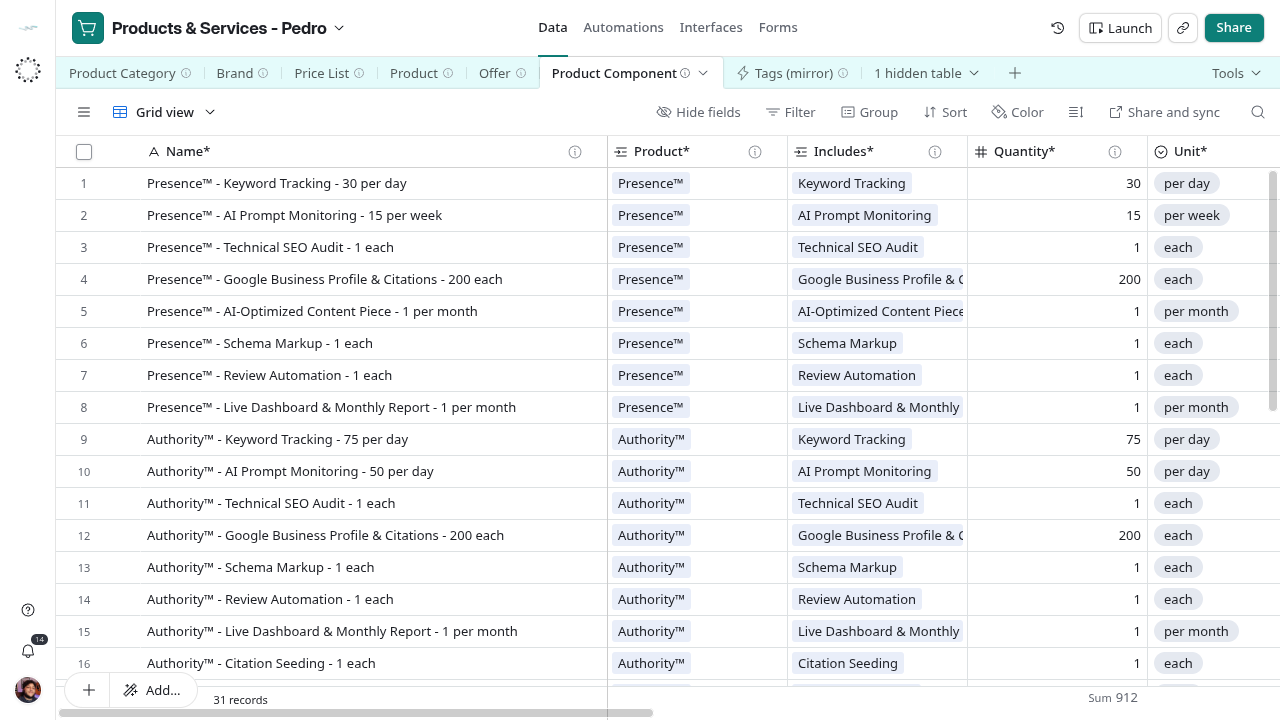
| Name* | Text | Typed as whole - part - quantity unit |
| Product* | Linked records | Product, the whole |
| Includes* | Linked records | Product, the part |
| Quantity* | Number | Whole number of the part per unit; for a range, the lower bound |
| Unit* | Single choice | each, per day, per week, per month, per quarter, per year |
| Notes° | Long text | What the deck or contract says that the quantity does not |
| Lifecycle Status* | Single choice | Draft, Active, Archived |
| Component Check | Formula | ⚠ fragments for missing or invalid inputs |
| Component (Name) | Formula | The part with its quantity and unit |
| Created At | Created time | When the line was created |
| Intake Step | Formula | Routes Draft or blank-status rows to their next creation step; blank for Active and Archived |
| Tags° | Linked records | Tags (mirror); optional |
Reference grid captured on 2026-10-28, before the intake views and label updates. Use the current view names in this guide.
Calculated rules
Component Check
IF(LEN({Product*} & "") = 0, "⚠ No product. ", "") &
IF(LEN({Includes*} & "") = 0, "⚠ Nothing included. ", "") &
IF(AND(LEN({Product*} & "") > 0, {Product*} & "" = {Includes*} & ""), "⚠ A product cannot include itself. ", "") &
IF({Quantity*} = BLANK(), "⚠ No quantity. ", "") &
IF(LEN({Unit*} & "") = 0, "⚠ No unit. ", "")
Component (Name)
IF(LEN({Includes*} & "") > 0, {Includes*} & " × " & {Quantity*} & " " & {Unit*}, "")Links and cardinality
Each line should link exactly one whole and one part. Both fields accept several records; Component Check flags blanks and the case where the linked whole and part read the same, not a line with two parts, a partial overlap or an indirect loop. On the products, the whole shows the line in Components and the part in Component Of.
Intake routing
The creation intake uses these local formulas. Active and Archived records leave the routed steps; lifecycle changes remain manual.
Intake Step
IF(OR({Lifecycle Status*} = "Draft", {Lifecycle Status*} = BLANK()), IF(OR(LEN(TRIM({Name*} & "")) = 0, LEN({Product*} & "") = 0, LEN({Includes*} & "") = 0), "Create - 1", IF(OR(LEN({Quantity*} & "") = 0, LEN({Unit*} & "") = 0), "Create - 2", "Create - 3")), "")Lifecycle
Create this record through the intake.
New lines start as Draft. Active means the product includes this part today. Archived means it no longer does; keep the row because history may point at it. Name* is typed, so rewrite it after changing a link or the quantity.
Example
Name* = Example Program - Keyword Tracking - 30 per day; Product* = Example Program; Includes* = Keyword Tracking; Quantity* = 30; Unit* = per day; Component (Name) = Keyword Tracking × 30 per day; Component Check blank.