
Compose a product
Record what a program or kit includes, one line per part with a quantity and a unit.
Outcome: the whole product lists every part it includes in Components, each line with a blank Component Check. Reader: the catalog maintainer.
Before you start
The whole and each part must already be rows in Product. A part is a product in its own right and may be sold alone through its own offer. If a part does not exist, add it first with Add a product and its offer; you do not need an offer for it.
Add the lines
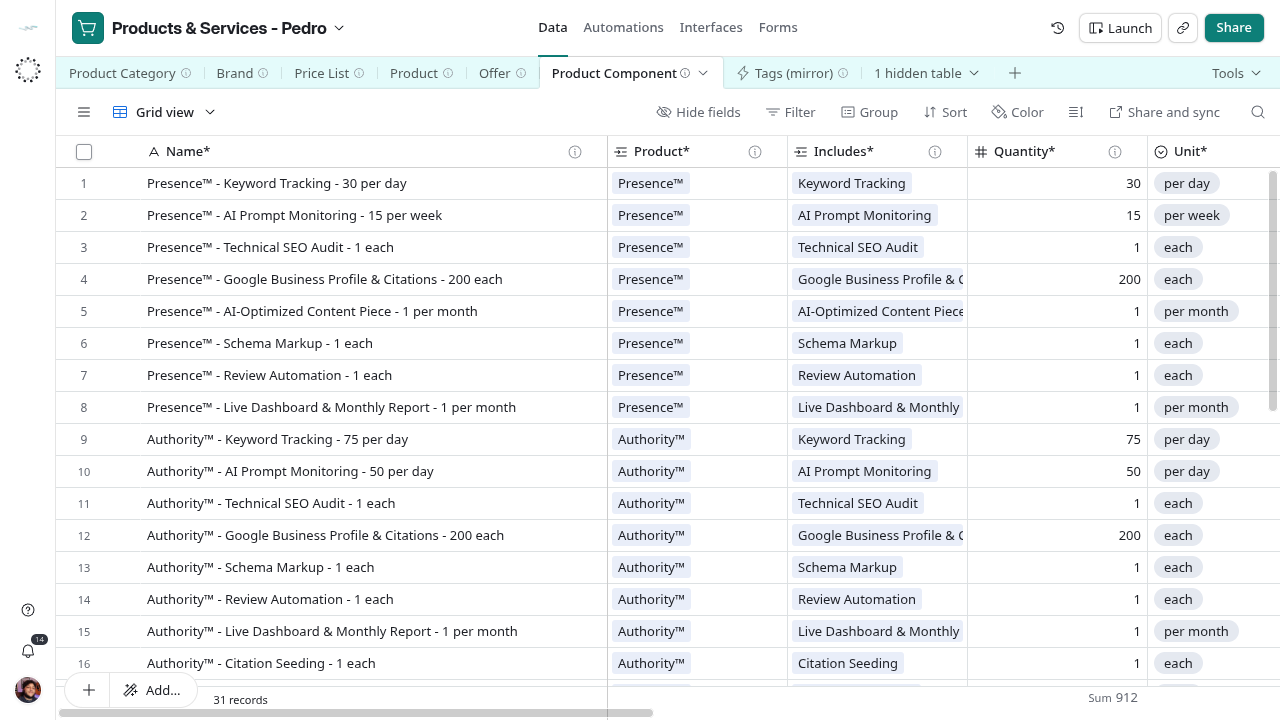
- Open Data → Product Component → Step 1 - Name whole and part and create one Draft row per part.
- Type Name* as whole - part - quantity unit. Link Product* to exactly one whole and Includes* to exactly one different part.
- In Step 2 - Set quantity and unit, put ranges or qualifications in optional Notes°, and add Tags° when useful. Then enter Quantity* and Unit* to advance.
- In Step 3 - Validate and activate component, read Component (Name) and Component Check. Correct warnings and set Lifecycle Status* to Active.
Reference grid captured on 2026-10-28, before the intake views and label updates. Use the current view names in this guide.
Check the result
Read Component Check on each line; fix what each ⚠ fragment names. Component (Name) shows the part as it reads inside the product, such as Keyword Tracking × 30 per day. Open the whole product: Components lists the lines; on each part, Component Of lists where it is included.
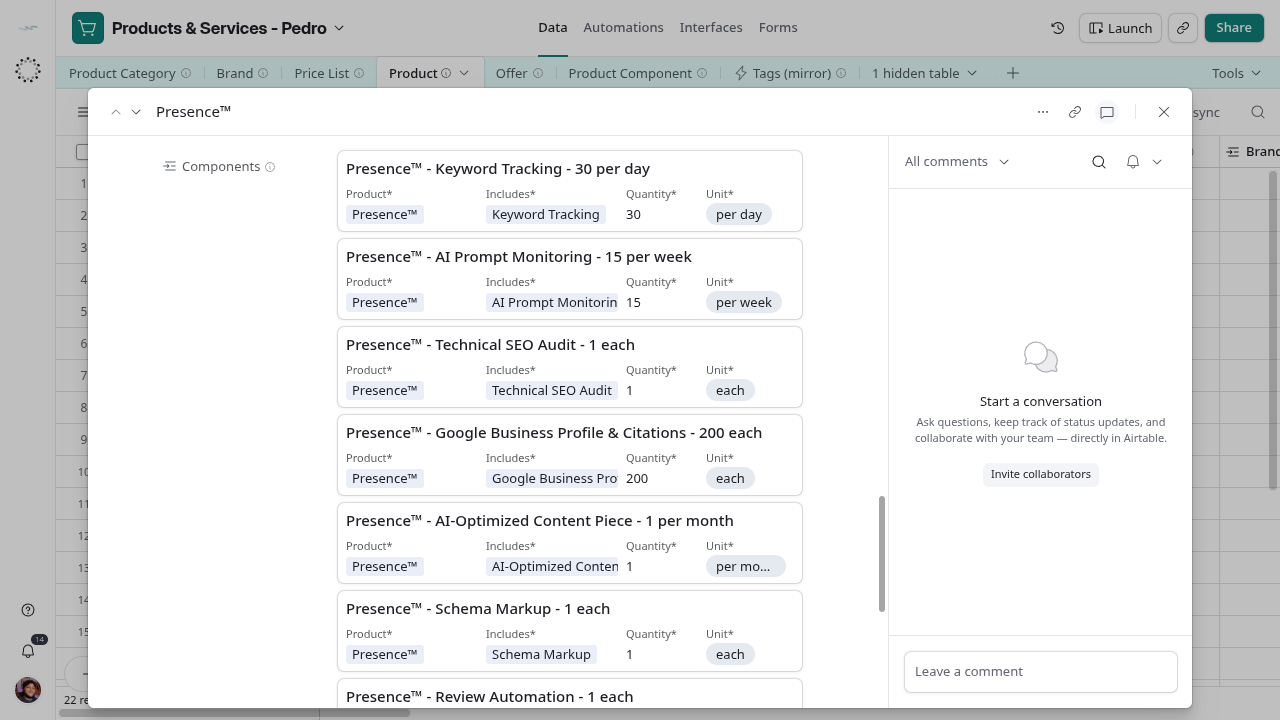
Success: every line is Active with a blank Component Check, and the product’s Components match the deck.
Change or remove a part
To change a quantity, edit Quantity* and rewrite Name*. To stop including a part, set the line to Archived; do not delete a line an agreement or proposal may have relied on. Component Check does not detect loops (A includes B and B includes A); avoid them by reading Component Of on the whole before linking.