
Brand
The name a product is sold under, with its logo; not the company that sells it.
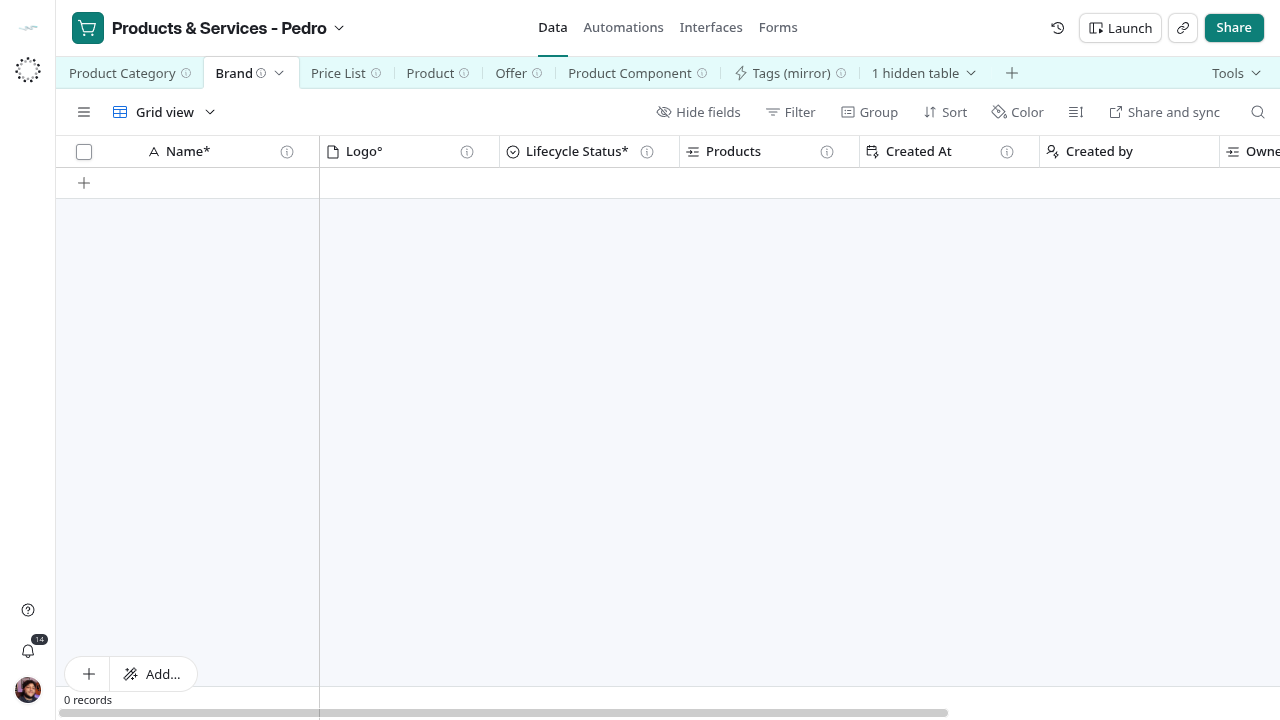
A Brand is the name a product is sold under. It is not the company that sells the product and not the vendor it is bought from. A house brand has an Owner° in the group; a third-party brand does not. The table is empty on 2026-10-28: the current catalog is services, which carry no brand. BDS type: schema:Brand.
Fields
| Field | Storage | Meaning |
|---|---|---|
| Name* | Text | The brand as printed on the product |
| Logo° | Attachments | One image; the first attachment is the logo |
| Lifecycle Status* | Single choice | Draft, Active, Archived |
| Products | Linked records | Products sold under it; set Brand° on the product |
| Owner° | Linked records | Organization (mirror); the group company that owns a house brand; blank for third-party |
| Created At | Created time | When the row was created |
| Created by | Created by | Who created it |
| Intake Step | Formula | Routes Draft or blank-status rows to their next creation step; blank for Active and Archived |
| Brand Check | Formula | Name* is filled |
| Tags° | Linked records | Tags (mirror); optional |
Reference grid captured on 2026-10-28, before the intake views and label updates. Use the current view names in this guide.
Rules
Check the list before adding a brand so the same name is not spelled twice. Blank Owner° means third-party or shared, not incomplete. A product should link at most one brand; the field accepts several. Brand Check flags a blank Name*.
Intake routing
The creation intake uses these local formulas. Active and Archived records leave the routed steps; lifecycle changes remain manual.
Brand Check
IF(LEN(TRIM({Name*} & "")) = 0, "⚠ No brand name. ", "")Intake Step
IF(OR({Lifecycle Status*} = "Draft", {Lifecycle Status*} = BLANK()), IF(LEN(TRIM({Name*} & "")) = 0, "Create - 1", "Create - 2"), "")Lifecycle
Create this record through the intake.
Draft, Active, Archived, as on every catalog table. Archive a brand that is no longer sold; do not delete it while products point at it.
Example
Name* = Example Roasters; Logo° = one image; Owner° blank (third-party); Lifecycle Status* = Active; Products lists two coffee products.