Core Record Types has 52 grid views across 16 tables as of 2026-10-28. People work in Core through these views. Leaving a filtered step is not deletion, and a view name does not grant or restrict access.
Intakes
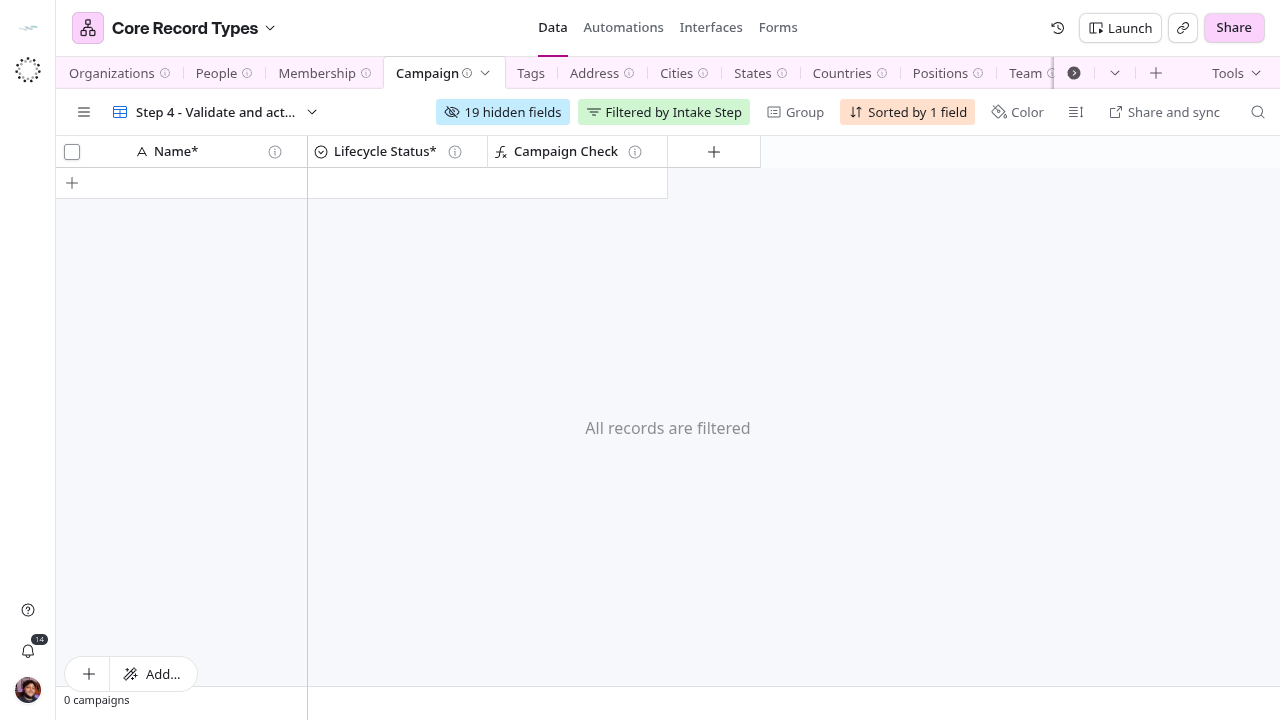
Campaign is the only table with a routed grid intake. Its Intake Step formula sends each row to one view: Step 1 - Define the campaign objective (Draft rows still missing Name*, Description* or Audience Definition*), Step 2 - Assign the accountable owner, Step 3 - Set the campaign dates and Step 4 - Validate and activate campaign. Active and On Hold rows appear in Step 1 - Review the campaign lifecycle. Orphans - Set lifecycle status lists rows with no Lifecycle Status* and no deletedAt.
Cities and States have views named as steps, but they have no filter or routing formula: each is a fixed set of columns over all rows. States starts at Step 2. People and Organizations have no intake in Core yet; a Work Item tracks Verify Person and Verify Company intakes.
Working lists
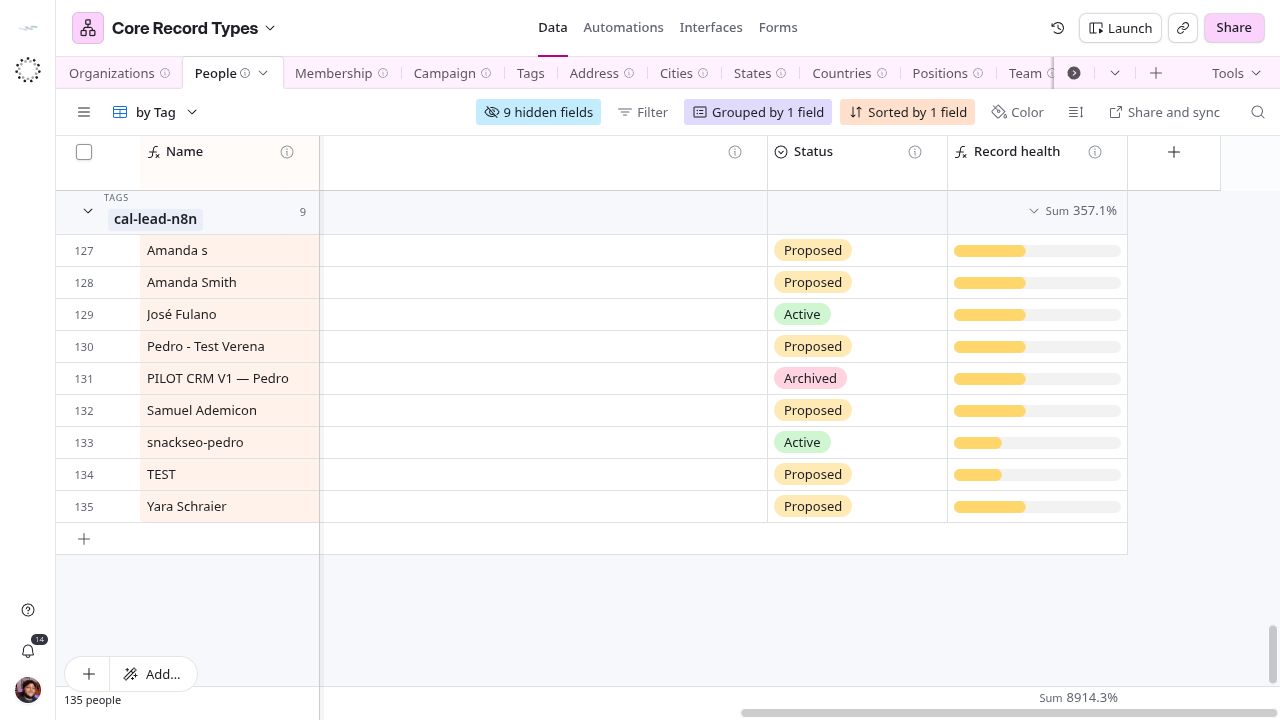
- People › by Status and People › by Tag are both grouped by Tags, not by Status. by Tag also has an empty name filter. Use them to review rows by tag, such as cal-lead-n8n.
- People › System Users lists people with an Account Binding.
- Organizations and People › Troubleshooting are personal views.
- Positions › Position per Business Unit and Department › Departament Per Company group the structure by company.
- Campaign › Grid view shows every field and every row, including drafts and rows with no status.
Sync and reference views
Each table has a view named after its semantic type, such as schema:Person or bds:Team. These are the natural sources for mirrors, but the source view of each consumer sync is not exposed by the API. Two views are confirmed or described as sync sources:
- Campaign › Sync - Campaign publishes 16 fields to the CRM mirror (verified contract).
- People and Organizations › Base Fields - Two Way Sync are described as the two-way sync with the CRM.
The People type views still carry a description that says they publish to Fintable and that “Operations People” is authoritative. That text predates Core and is wrong: Core is the source.
Personal and legacy views
Personal views (Directory, Company Ops, named grids, Blank, Troubleshooting, Address -> People and Address -> Organization) are visible only to their owner and are listed, not described as operating paths. Views marked legacy should not be used: Step 7: Secondary ID’s Master · V2, Membership › to be deleted, Team › temp, the misspelled bds:BusinessRelationshis duplicate and schema:Person - base fieds.
Complete view catalog
Sharing mode was read for People, Organizations, Campaign, Address, Cities and States; for the other tables only names and types were read.
Organizations
Entity reference
People
Entity reference
Membership
Entity reference
Campaign
Entity reference
Entity reference
| View |
Use |
| op:tags |
Type-named reference view |
Address
Entity reference
Cities
Entity reference
States
Entity reference
Countries
Entity reference
Positions
Entity reference
Team
Entity reference
| View |
Use |
| bds:Team |
Type-named reference view |
| temp |
Legacy or duplicate, do not use |
Department
Entity reference
Organization Relationships
Entity reference
Branch
Entity reference
Cadence
Entity reference
Classification Term
Entity reference
