
Campaign
A shared initiative with an objective, audience, accountable organization and lifecycle.
Source table: Campaign in Core Record Types (ops:Campaign, pending vocabulary release). One Campaign is a coordinated initiative of an organization with a defined objective and audience. It may be ongoing and span channels, actions and offers. One independently tracked edition has one stored coreId. Names and tags are not unique identity. Core owns the initiative; CRM owns enrollment and principal sales attribution.
Rules and ownership
Use the Campaign intake views in Data: Step 1 defines Name*, Description* and Audience Definition*; Step 2 links exactly one Accountable (Organization)* and one active Accountable (Membership)* in it; Step 3 sets Start Date* and optional End Date°; Step 4 resolves Campaign Check and sets Lifecycle Status*. End cannot precede start. Checks and views guide the operator; they do not block every write.
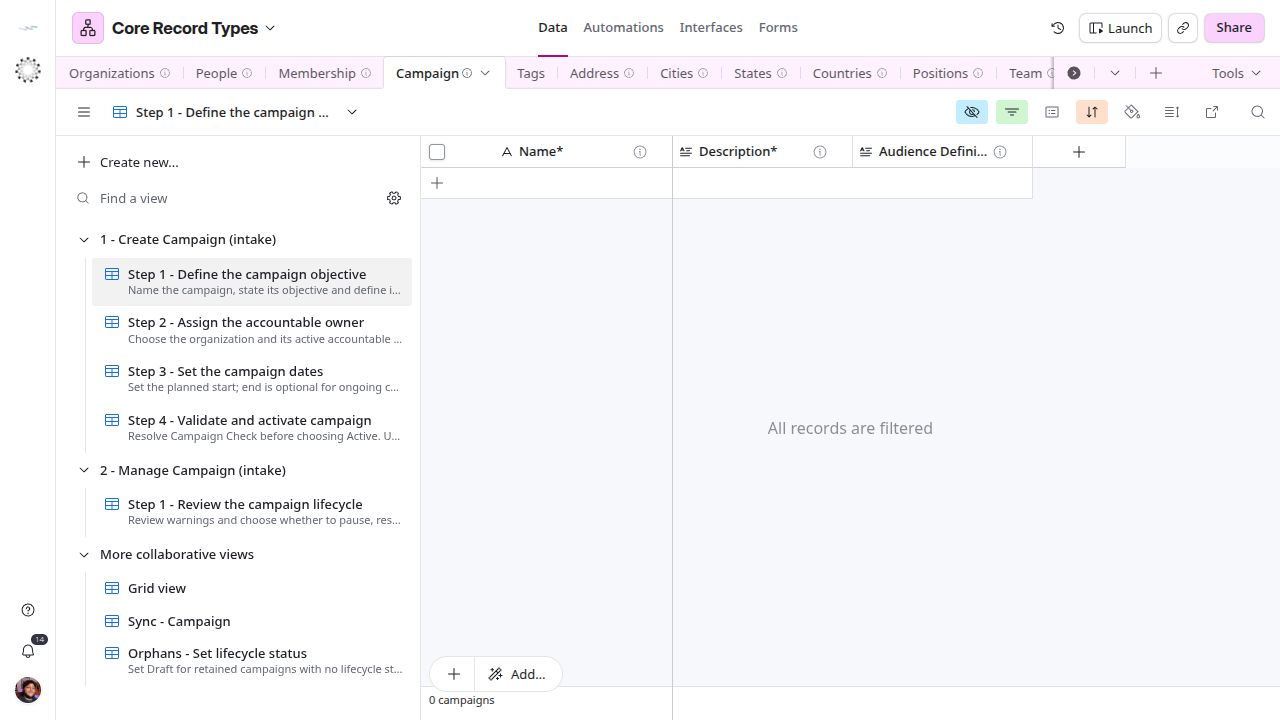
Core Campaign intake begins with the objective and audience.
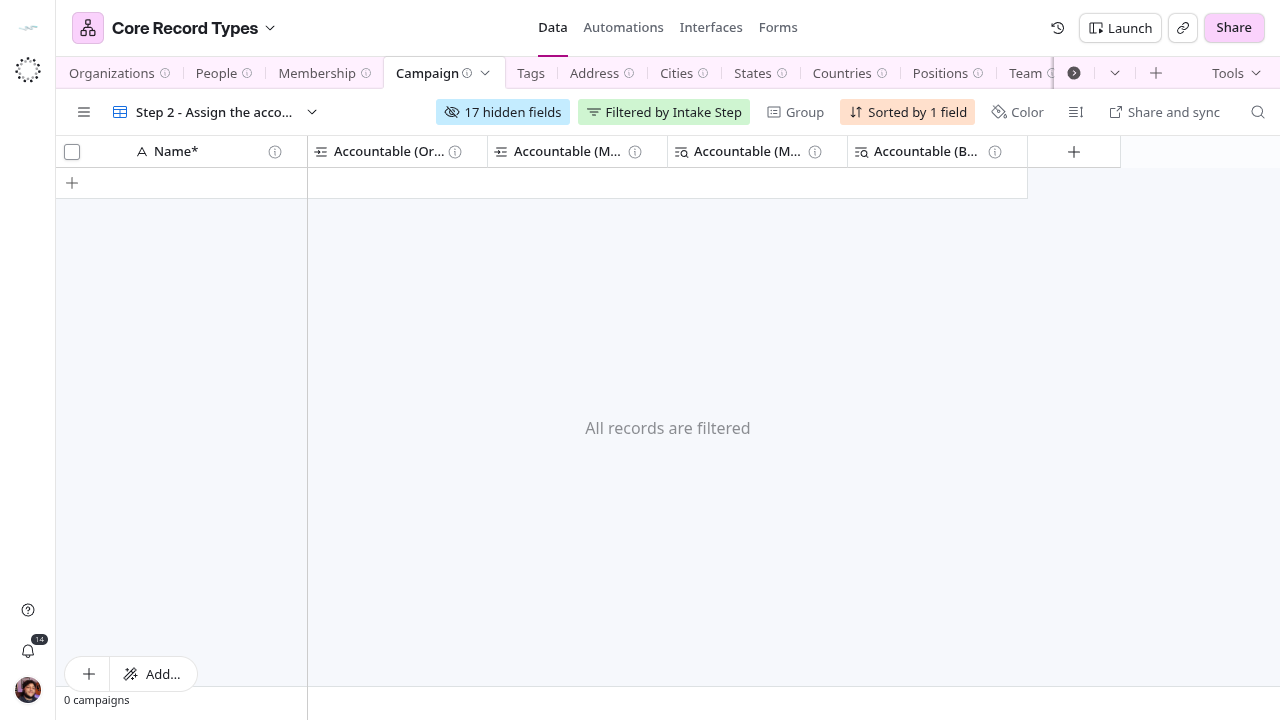
Lifecycle and checks
Draft prepares, Active runs, On Hold pauses, Completed ends normally, Cancelled records interruption and Archived preserves history. Step 1 - Review the campaign lifecycle lists Active and On Hold rows; Orphans - Set lifecycle status lists retained rows with no status. deletedAt is logical retirement, separate from Archived. Do not invent sourceSystem or syncRun.
Campaign — assign immutable coreId is deployed. It assigns a missing UUID when a row is created and preserves existing identities; it is not an atomic concurrency lock. Recover an accidentally cleared UUID rather than create a new identity. The Sync - Campaign view publishes 16 shared fields; the six intake helpers stay in Core. The CRM consumer retains deleted source rows, so use deletedAt and reconcile hard deletion explicitly. In the CRM the campaign is linked from the Deal (Deal.Campaign°, inverse Deals (Campaign) on the mirror); the results of a campaign are the Deals linked to it.
Source fields
Names, types, options and links are those configured in Core Record Types. The meaning is the first line of each field description in Airtable. Options describe configuration; they do not prove a rule is enforced elsewhere.
Recorded values
| Field | Type | Meaning | Options, link or calculation |
|---|---|---|---|
| Name* | Text | Stores the name of this specific campaign. | Entered value. |
| Description* | Long text | Stores the objective and context of this campaign. | Entered value. |
| Audience Definition* | Long text | Stores the criteria describing the intended audience. | Entered value. |
| Lifecycle Status* | Single select | Stores the campaign lifecycle. | Draft, Active, Completed, On Hold, Cancelled, Archived |
| Attachments | Attachments | Stores briefs and supporting files about this campaign. | Entered value. |
| Start Date* | Date | Stores the planned start date of this campaign. | Entered value. |
| End Date° | Date | Stores the planned end date of this campaign. | Entered value. |
| coreId | Text | Stores the permanent UUID of this campaign. | Entered value. |
| deletedAt | Date and time | Stores when this record was soft-deleted. | Entered value. |
| sourceSystem | Text | Stores the system where the record originated. | Entered value. |
| syncRun | Text | Stores the ingestion run reference supplied by an integration. | Entered value. |
Links
| Field | Type | Meaning | Options, link or calculation |
|---|---|---|---|
| Tags | Linked records | Links labels used to find and group this campaign. | → Tag · several records |
| Accountable (Organization)* | Linked records | Links the one organization accountable for this campaign. | → Organization · one record |
| Accountable (Membership)* | Linked records | Links the one membership accountable for coordinating this campaign. | → Membership · one record |
Calculated
| Field | Type | Meaning | Options, link or calculation |
|---|---|---|---|
| Accountable (Organization Count) | Count | Counts the linked organizations accountable for this campaign. | Count of Accountable (Organization)* |
| Accountable (Membership Count) | Count | Counts the linked memberships accountable for this campaign. | Count of Accountable (Membership)* |
| Accountable (Membership Status) | Lookup | Shows the accountable membership’s current status. | Lookup of Membership Status through Accountable (Membership)* |
| Accountable (Business Unit) | Lookup | Shows the accountable membership’s organization. | Lookup of Business Unit through Accountable (Membership)* |
| Campaign Check | Formula | Shows the objections to activating this campaign. | Formula below. |
| Intake Step | Formula | Shows the next Campaign intake step. | Formula below. |
Generated by Airtable
| Field | Type | Meaning | Options, link or calculation |
|---|---|---|---|
| createdAt | Created time | Shows when this Airtable row was created. | Airtable system value. |
| updatedAt | Last modified time | Shows the latest edit to this row. | Airtable system value. |
Current formulas
Field IDs are rendered as current field names.
Campaign Check
IF({Name*}=BLANK(),"⚠ Missing Name. ","") &
IF({Description*}=BLANK(),"⚠ Missing objective. ","") &
IF({Audience Definition*}=BLANK(),"⚠ Missing audience definition. ","") &
IF({Accountable (Organization)*}=BLANK(),"⚠ Missing accountable organization. ","") &
IF({Accountable (Membership)*}=BLANK(),"⚠ Missing accountable membership. ","") &
IF({Start Date*}=BLANK(),"⚠ Missing start date. ","") &
IF(AND({Accountable (Membership)*},ARRAYJOIN({Accountable (Membership Status)})!="Active"),"⚠ Accountable membership is not Active. ","") &
IF(AND({Accountable (Organization)*},{Accountable (Membership)*},({Accountable (Organization)*}&"")!=ARRAYJOIN({Accountable (Business Unit)})),"⚠ Membership does not belong to accountable organization. ","") &
IF(AND({Start Date*},{End Date°},IS_BEFORE({End Date°},{Start Date*})),"⚠ End date precedes start date. ","") &
IF({Accountable (Organization Count)}>1,"⚠ More than one accountable organization. ","") &
IF({Accountable (Membership Count)}>1,"⚠ More than one accountable membership. ","") &
IF({coreId}=BLANK(),"⚠ Waiting for campaign identity. ","")
Intake Step
IF({deletedAt},"",IF(OR({Lifecycle Status*}="Draft",{Lifecycle Status*}=BLANK()),IF(OR({Name*}=BLANK(),{Description*}=BLANK(),{Audience Definition*}=BLANK()),"Create - 1",IF(OR({Accountable (Organization)*}=BLANK(),{Accountable (Membership)*}=BLANK()),"Create - 2",IF({Start Date*}=BLANK(),"Create - 3","Create - 4"))),IF(OR({Lifecycle Status*}="Active",{Lifecycle Status*}="On Hold"),"Manage - 1","")))Example (fictitious)
“Spring Roof Check” is a Draft with an objective and an audience of homeowners in one region. Example Roofing LLC and an active sales membership are accountable. After Start Date* is set and Campaign Check is empty, the maintainer chooses Active; CRM sellers then link each lead’s Deal to it in Campaign°.
Use by other systems
Sync direction and the source view are confirmed only where the note says so; see Architecture and ownership.
| System | Local table | Note |
|---|---|---|
| CRM | Campaign (mirror) | one-way, verified; Deals link it in Campaign°, listed in Deals (Campaign) |
| KPIs & OKRs | Sync - Campaign | — |