
Review the pipeline
Review lead and deal stages, outcomes and values in Data views.
Use Data → Deal → Pipeline - by stage to review leads and proposals by Deal Stage*, from Lead to Won, Lost or Abandoned. Since 2026-11-04 leads are Deals.
Flow
Fix the scope first, clear what the intake and the check flag, then read the amounts and reconcile.
Mermaid source
flowchart TD
  scope["Check the filters<br/><small>company, membership, stage, date</small>"]:::action
  pipe["Pipeline - by stage<br/><small>Deal</small>"]:::action
  flag{{"Missing fields or warnings?"}}:::decision
  steps["Deal intake steps<br/><small>Step 1 to Step 4</small>"]:::action
  chk["Check - Deal exceptions<br/><small>Deal Check warnings</small>"]:::action
  amt["Read the amounts<br/><small>Offer (mirror): Price Currency*, Unit*, leave PILOT out</small>"]:::action
  diff{{"Counts or totals disagree?"}}:::decision
  byc["By Company<br/><small>same scope, leads apart from proposals</small>"]:::action
  done(["Pipeline reviewed"]):::outcome
  scope --> pipe --> flag
  flag -- missing fields --> steps --> pipe
  flag -- warnings --> chk --> pipe
  flag -- none --> amt --> diff
  diff -- yes --> byc --> done
  diff -- no --> done
Check scope first
Inspect company, accountable membership, stage and date filters before comparing records. Created By identifies the author, which can be an integration account; it is not the responsible seller. A filtered queue can be empty while records still exist in a reference view.
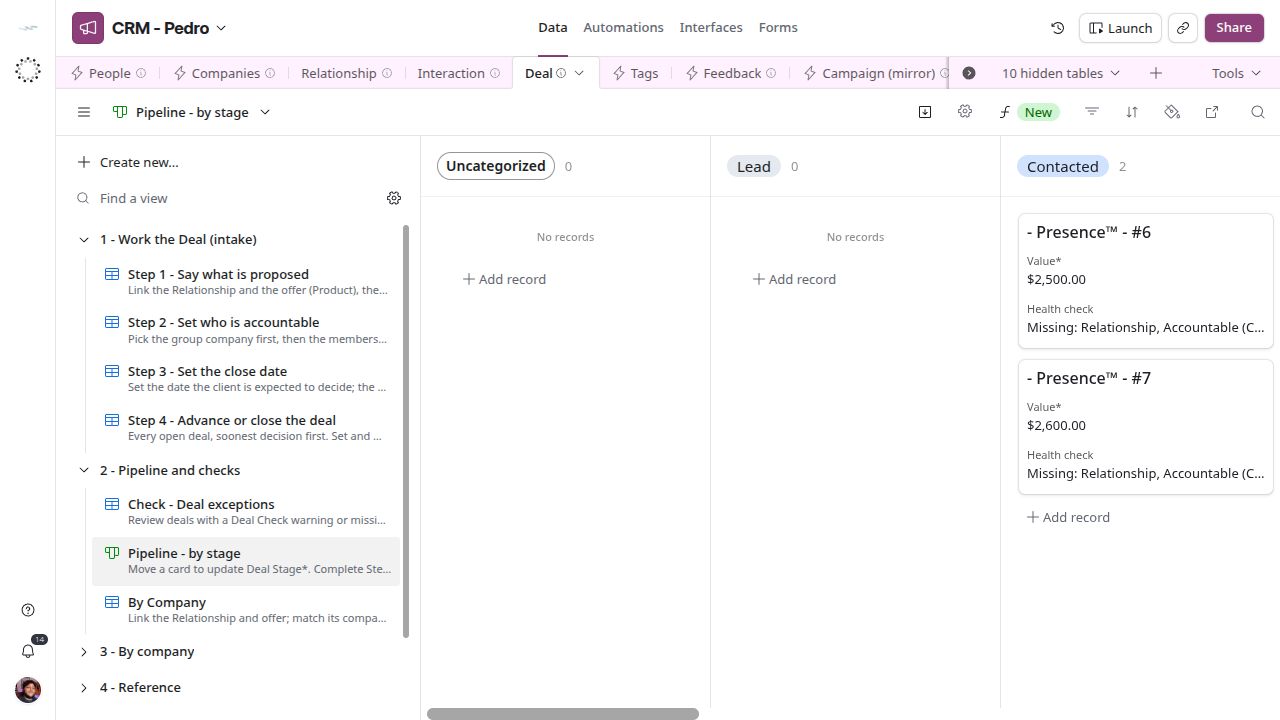
Deal pipeline in Data, grouped by stage.
Review proposals by stage
Open Pipeline - by stage and inspect the proposals in each stage. Resolve missing fields in the four Deal intake steps and warnings in Check - Deal exceptions. Won, Lost and Abandoned leave the intake; use the reference views to review their history. Consult Data views for the exact view links.
Interpret amounts and readiness
Offer (Price) and Value* can differ. Dollar formatting and a sum do not guarantee a common currency or unit; inspect Price Currency* and Unit* on the linked Offer in Offer (mirror) → Grid view. Won value is not collected revenue. Deals #25 (Won) and #26 (Lost) and the other records marked PILOT are synthetic evidence from pilot 01; nothing filters them out automatically, so leave them out of any real commercial total by hand. Last Contact Date may include a future booked meeting. Record health measures filled fields; Deal Check and campaign checks test specific consistency rules.
Reconcile a discrepancy
Compare the same records under the same company, owner, stage and date scope in Deal → By Company. Count leads (Lead, Contacted, Meeting Scheduled) separately from proposals (Proposal Sent onward). For pending actions use Tasks → Overdue and Upcoming; for upcoming meetings use Interaction → Check 2 - Upcoming meetings.