
Data views
Find every intake, review queue, calendar and reference view.
Data views route the same records through entry, work and correction. Leaving a filtered step is not deletion. * marks a business input expected by a step and ° an optional input; those labels do not impose a database constraint.
Operational paths
People: name → contact method. Companies: name/site. Deal, where leads live: client → accountable pair → proposal data at Proposal Sent or Negotiation → advance or close. Interaction: incomplete event → upcoming meeting → outcome. Tasks hold the next action for a Deal or a contact.
Deal intake
The four steps filter on Intake Step, so a row moves to the next step as soon as the current step’s fields are filled. Steps 1 to 3 show the newest Deal first; Step 4 shows the soonest decision first. A Won, Lost or Abandoned Deal leaves the intake.
| Step | What it holds | What the view asks |
|---|---|---|
| Step 1 - Say who the client is | Deals without Company° and People° | Link the client company or the contact person (or both) and say how the lead came in. A new lead starts at Lead. |
| Step 2 - Set who is accountable | Deals without the accountable pair | Pick the group company first, then the seller’s membership in it. |
| Step 3 - Complete the proposal | Deals at Proposal Sent or Negotiation without Product*, Value* or Expected Close Date* | Link the offer, type the monthly value and the expected decision date. |
| Step 4 - Advance or close the deal | Every complete open Deal, soonest decision first | Set and move Deal Stage* as talks advance; clear Deal Check, then set Won, Lost or Abandoned. Open the deal to log a meeting or add the next task. |
Deal work views
Leads shows every open lead before a pitch: Deal Stage* is Lead, Contacted or Meeting Scheduled, newest first. It shows the client, Source°, the stage, the seller, Tags and Notes°. Move the stage as the conversation advances.
By Creator shows every Deal grouped by who created it, newest first, with the same fields as Leads. The creator can be an automation; the seller is Accountable (Person)*.
Pipeline - by stage is a kanban stacked by Deal Stage*. Each card shows the client, the seller, Value*, Expected Close Date* and Health check. Move a card to update Deal Stage*. A lead starts at Lead; Cal.com bookings arrive at Meeting Scheduled. Review Deal Check before closing.
Check - Deal exceptions lists Deals with a Deal Check warning or a “Missing:” entry in Health check, grouped by accountable company. It includes open and closed Deals so unresolved inconsistencies stay visible. Fix the named fields and the client links before advancing or closing a deal; the row leaves the queue when both checks are clear. This queue also covers a Deal without a client or without the accountable pair.
By Company groups every Deal by accountable company. Snack SEO - Deals, Ai Brand Signal - Deals, Roofing AEO - Deals, Snack Prompt Corp - Deals, Nexa Roofing LLC - Deals, Hidden Gym - Deals and Apollo Homes DFW - Deals filter one accountable company each. All of them ask the same: set the client, value, stage and close date, and review Deal Check before closing. bds:Deal shows every column and is the maintenance view; Legacy Relationship ID appears only there.
Interaction checks and lists
Check 1 - Complete event data holds events whose Record health is incomplete. Complete the fields named in Health check, link People°, Company° and Deal°, and review the accountable company and member. The row leaves when Health check is clear. Update the existing Cal.com row; do not create a duplicate.
Check 2 - Upcoming meetings holds Meeting booked events from today onward, earliest first. Check the member, date and time, People°, Company°, Deal° and Evidence URL. Today includes meetings already started. Cancellations leave this queue when Result changes.
Check 3 - Record meeting outcome holds meetings before today still marked Meeting booked. Update Result to the actual outcome and add Note; link People°, Company° and Deal°. Open the deal to add the next task and its due date. Do not change Booking UID or create a duplicate event.
By Company groups every Interaction by accountable company. Snack SEO - Interactions, Ai Brand Signal - Interactions, Roofing AEO - Interactions, Snack Prompt Corp - Interactions, Nexa Roofing LLC - Interactions, Hidden Gym - Interactions and Apollo Homes DFW - Interactions filter one accountable company each. They ask you to link People°, Company° and Deal°, update existing Cal.com meetings without duplicating them, and open the deal to add the next task. by Tags groups by Tags and by Accountable groups by the accountable member. Grid view shows every column.
Interaction calendars
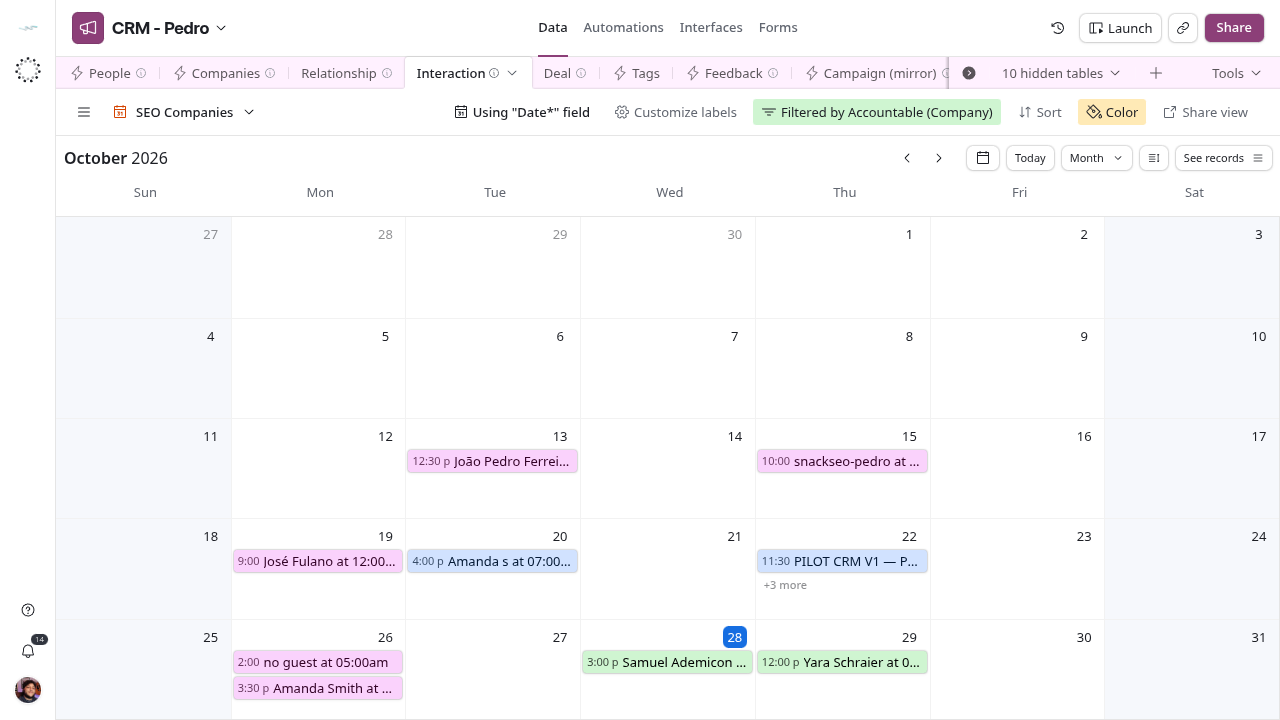
Interaction has six calendar views. Amanda - Cal.com, Daniel - Cal.com, Drew - Cal.com, Trevor - Cal.com and Verena - Cal.com are named after one seller each and filter Accountable (Person) and a Tags marker; Amanda, Drew, Trevor and Verena also filter Accountable (Company). SEO Companies filters Accountable (Company) to four group companies and shows their bookings in one calendar. The event title is the Interaction Name. Calendars show events only. Next actions live in Tasks, and a calendar filter does not restrict who can see a record.
Campaign monitoring
Check - Campaign exceptions requires a nonempty CRM Campaign Check and no deletedAt. Monitor - Active and on hold shows retained Active/On Hold rows even with warnings. Available - Enroll relationships requires Active, no deletedAt and an empty check; pick one of these campaigns in Campaign° on the Deal. History - Closed and retired includes deletedAt OR Completed/Cancelled/Archived. Closed campaigns with warnings can appear in both history and exceptions. Grid view includes drafts and missing statuses outside these queues.
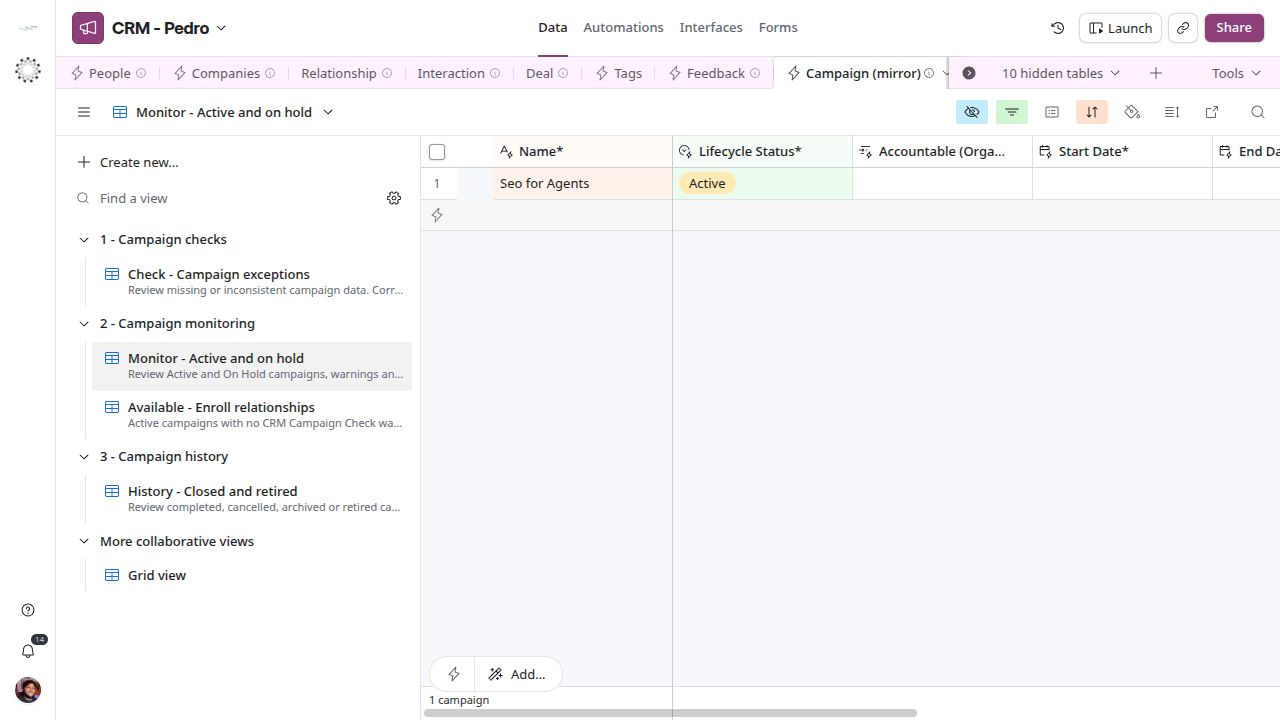
Monitoring includes active campaigns with unresolved source checks.
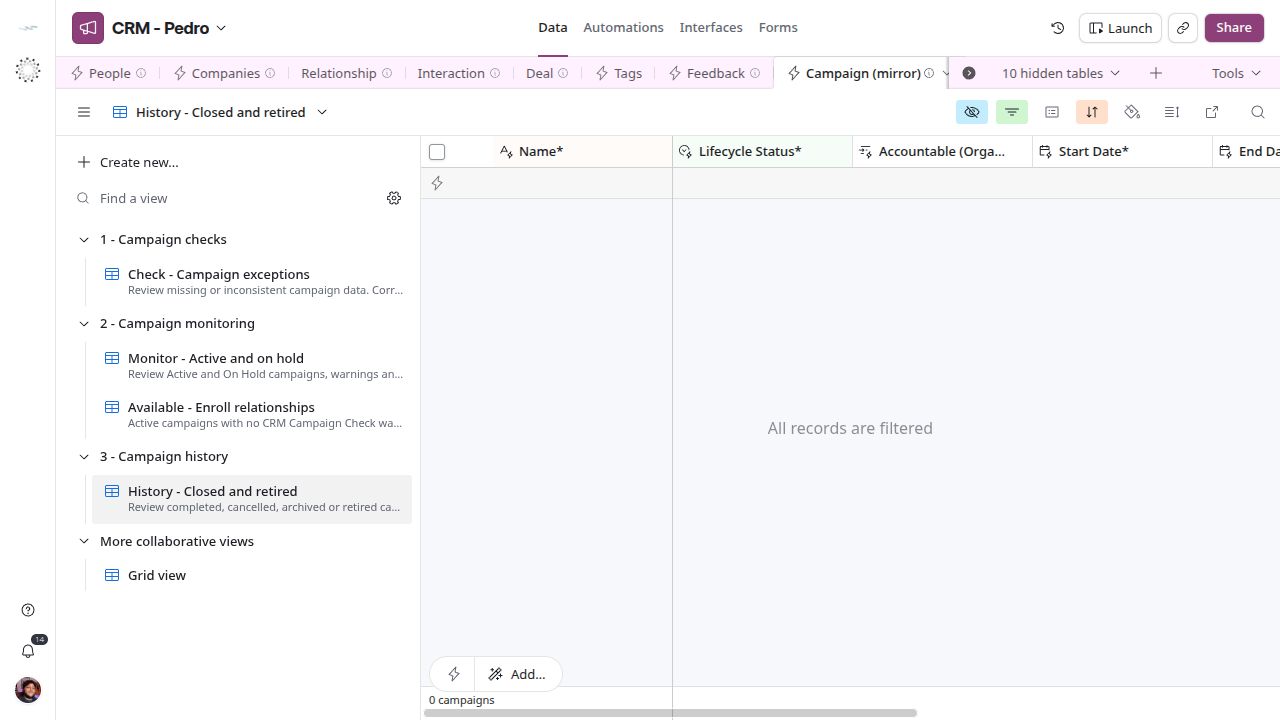
History retains closed or retired campaigns.
Complete view catalog
The list below gives every view’s name and type, as read from the base on 2026-11-06. Filters of personal and company variants are not described one by one; open the view to confirm them. A company-named view does not grant or restrict access.
Tasks
| View | Type |
|---|---|
| 1 - Task details | Grid |
| 2 - Assignee | Grid |
| 3 - Targets | Grid |
| 4 - All Right ? | Grid |
| Overdue | Grid |
| Upcoming | Grid |
| Due this week | Grid |
| All | Grid |
| by Related Companies | Grid |
| by Related People | Grid |
| By Person | Grid |
| main | Grid |
People
| View | Type |
|---|---|
| Step 1 - Name the person | Grid |
| Step 2 - Add a way to reach them | Grid |
| CRM Team | Grid |
| Leads - Grok Sales Coordinator | Grid |
| Leads - Cal.com | Grid |
| By Tags | Grid |
| Directory | Grid |
| Missing data | Grid |
| schema:Person | Grid |
Companies
| View | Type |
|---|---|
| Step 1 - Name the company and its site | Grid |
| Directory | Grid |
| schema:Organization | Grid |
| Actions | Grid |
Deal
| View | Type |
|---|---|
| Step 1 - Say who the client is | Grid |
| Step 2 - Set who is accountable | Grid |
| Step 3 - Complete the proposal | Grid |
| Step 4 - Advance or close the deal | Grid |
| Check - Deal exceptions | Grid |
| Pipeline - by stage | Kanban |
| By Company | Grid |
| Snack SEO - Deals | Grid |
| Ai Brand Signal - Deals | Grid |
| Roofing AEO - Deals | Grid |
| Snack Prompt Corp - Deals | Grid |
| Nexa Roofing LLC - Deals | Grid |
| Hidden Gym - Deals | Grid |
| Apollo Homes DFW - Deals | Grid |
| bds:Deal | Grid |
| bds:Deal Review - PEdro | Grid |
| Leads | Grid |
| By Creator | Grid |
| To delete (deprecated) | Grid |
Notes
| View | Type |
|---|---|
| People Notes | Grid |
| Company Notes | Grid |
| All Notes | Grid |
Interaction
| View | Type |
|---|---|
| Amanda - Cal.com | Calendar |
| Daniel - Cal.com | Calendar |
| Drew - Cal.com | Calendar |
| Trevor - Cal.com | Calendar |
| Verena - Cal.com | Calendar |
| SEO Companies | Calendar |
| Check 1 - Complete event data | Grid |
| Check 2 - Upcoming meetings | Grid |
| Check 3 - Record meeting outcome | Grid |
| By Company | Grid |
| by Tags | Grid |
| by Accountable | Grid |
| Snack SEO - Interactions | Grid |
| Ai Brand Signal - Interactions | Grid |
| Roofing AEO - Interactions | Grid |
| Snack Prompt Corp - Interactions | Grid |
| Nexa Roofing LLC - Interactions | Grid |
| Hidden Gym - Interactions | Grid |
| Apollo Homes DFW - Interactions | Grid |
| Grid view | Grid |
| To delete (deprecated) | Grid |
Message (mirror)
| View | Type |
|---|---|
| Drew - Messages | Grid |
| Eder - Messages | Grid |
| Amanda - Messages | Grid |
| Grid view | Grid |
Tags
| View | Type |
|---|---|
| Tag catalog | Grid |
Campaign (mirror)
| View | Type |
|---|---|
| Check - Campaign exceptions | Grid |
| Monitor - Active and on hold | Grid |
| Available - Enroll relationships | Grid |
| History - Closed and retired | Grid |
| Grid view | Grid |
Feedback
| View | Type |
|---|---|
| Step 1 - Describe the feedback | Grid |
| Step 2 - Add context and submit | Grid |
| by Category | Grid |
| main | Grid |
| Replied | Grid |
| My feedback | Grid |
Membership (mirror)
| View | Type |
|---|---|
| Grid view | Grid |
| Staff to companies | Grid |
BusinessRelationship (mirror)
| View | Type |
|---|---|
| Grid view | Grid |
Offer (mirror)
| View | Type |
|---|---|
| Grid view | Grid |
schema:DefinedTerm
| View | Type |
|---|---|
| Grid view | Grid |
Team
| View | Type |
|---|---|
| bds:Team | Grid |
Department
| View | Type |
|---|---|
| bds:Department | Grid |
Positions
| View | Type |
|---|---|
| Grid view | Grid |
bds:position
| View | Type |
|---|---|
| Grid view | Grid |
| To delete (deprecated) | Grid |
Tool Account
| View | Type |
|---|---|
| Grid view | Grid |
Automation: Lead Source
| View | Type |
|---|---|
| Grid view | Grid |
| To delete (deprecated) | Grid |