
Colour
Colour is a traffic light on one select per page, and an option keeps its colour everywhere.
When to use
Use it on every card colour, row colour, select option and pill.
When not to use
None so far.
How it works
Use colour as a traffic light on one select
Colour tells the person whether a row needs action. It comes from one single select, set as the page’s card colour or row colour.
Pass: every coloured page names 1 select that colours it, and each of its colours names what it asks the person to do.
Colour a page by one field
A page uses one colour field. A second colour source on the same page makes the person ask which one they are reading.
Pass: every element on the page takes its colour from the same field.
Cards coloured by Stage only.
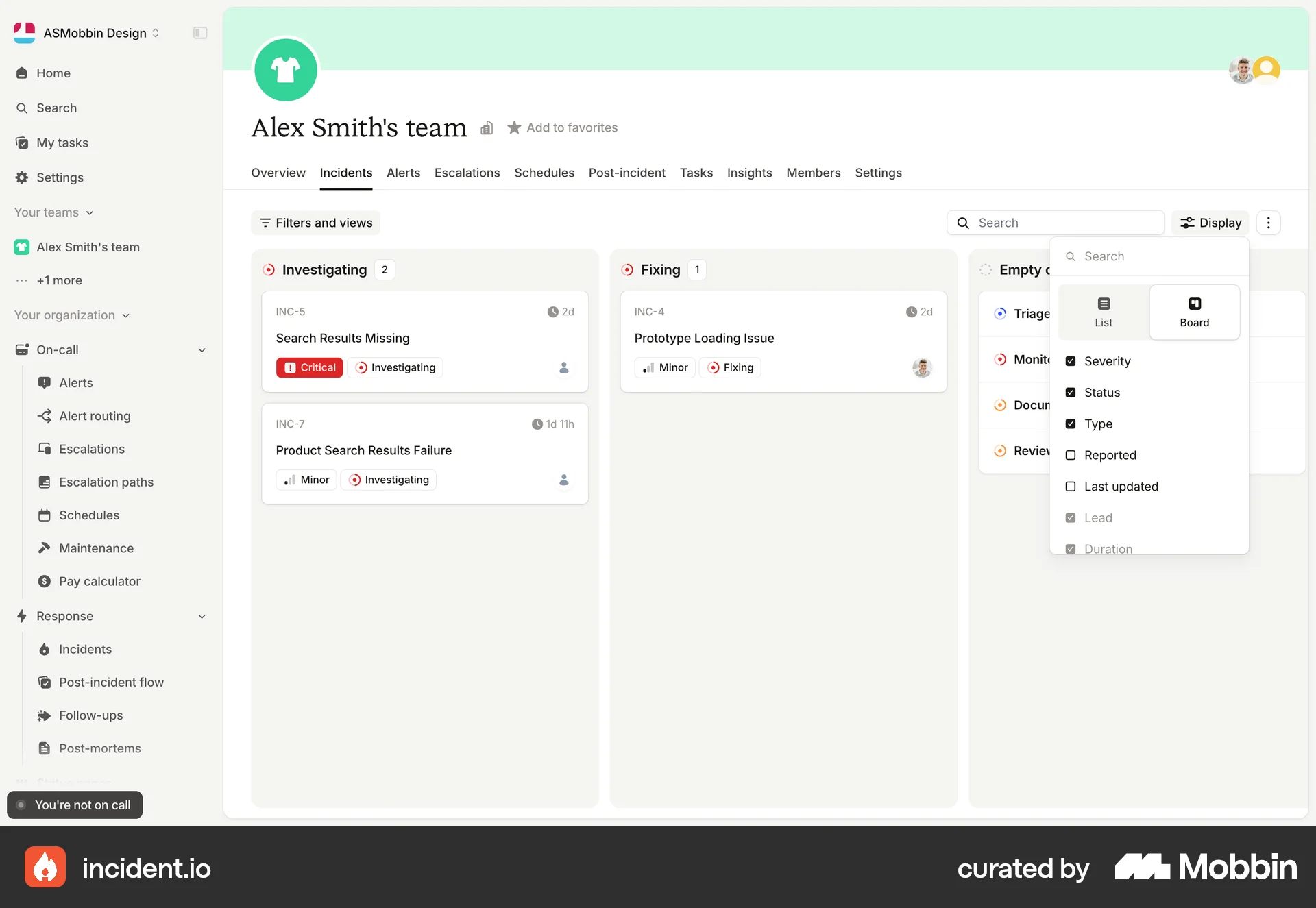
incident.io cards carry a red Critical and a second Investigating colour on the same card.
Keep an option’s colour across every select
The same option name, such as Won, High or Active, carries the same colour in every single and multiple select of every base. A colour then reads the same on every card, row and pill.
Pass: every select that has an option name shows it in 1 colour.
Copy colours when you add a select
A new select copies the colours of the existing select that already has those options. A new option takes a colour that no option with another meaning uses in the same palette.
Pass: no new option shares its colour with an option of a different meaning.
Colour charts with the option colours
A chart that splits by a select uses the colours of that select’s options. Won on a chart has the colour Won has on the card.
Pass: for every chart category, the fill matches the colour of the option it counts.
Lead in the same colour in Relationship type and in Deal stage.
Lead as #FFEAB6 in Relationship type and as #E5E9F0 in Deal stage, as our CRM shows it today.
Research
The chart rule comes from the reviewer’s CRM usability comparison (2026-09-29/30) (comparison, lines 2315 to 2352). It asks to “Match chart colors to stage colors.” (comparison, line 2333), and it finds that all six folk chart fills differ from their stage fills: “this is a consistency problem, not a palette to copy”. It has no screenshot. The Don’t above is our own CRM: the comparison measures Lead at #FFEAB6 in Relationship type (comparison, line 2273) and at #E5E9F0 in Deal stage (comparison, line 2058), and asks for “one Won treatment” across both stage fields (comparison, line 2084).
The other rules come only from the reviewer’s feedback and the interface skill’s rules. On an ordering system the reviewer asked for the order card to show “90% of Par (somewhere in yellow), or 10% above Par (in green”, so the state reads without a click.