
Filters
One filter bar and one tab bar, in the same order on every page, with people and organizations found by search.
When to use
Use it on every list, board, grid or any screen where the person narrows the rows.
When not to use
A record detail page has no filters. A queue whose scope already holds only this actor’s rows may need no slices at all.
How it works
Choose tabs or dropdowns for each page
Pick one mechanism per page. Use tabs when the person works through time buckets, and dropdowns when they narrow by owner, date or type.
Pass: no page shows both a tab bar and dropdowns.
Order the filter bar the same way on every page
The bar runs Owner, Created, the page’s action date (Due date, Close date, Last activity), the domain select (Stage, Status), then at most two domain dropdowns.
Pass: on two pages with dropdowns side by side, the bars start with the same filters in the same order.
The bar runs Owner, Create date, Last activity, Close date, then More.
The same filters with Close date first on this page and Deal owner first on the next.
Start the bar with Owner
Owner is the Membership link and comes first, so the person can narrow to their own rows in one click.
Pass: Owner is the first filter on every bar.
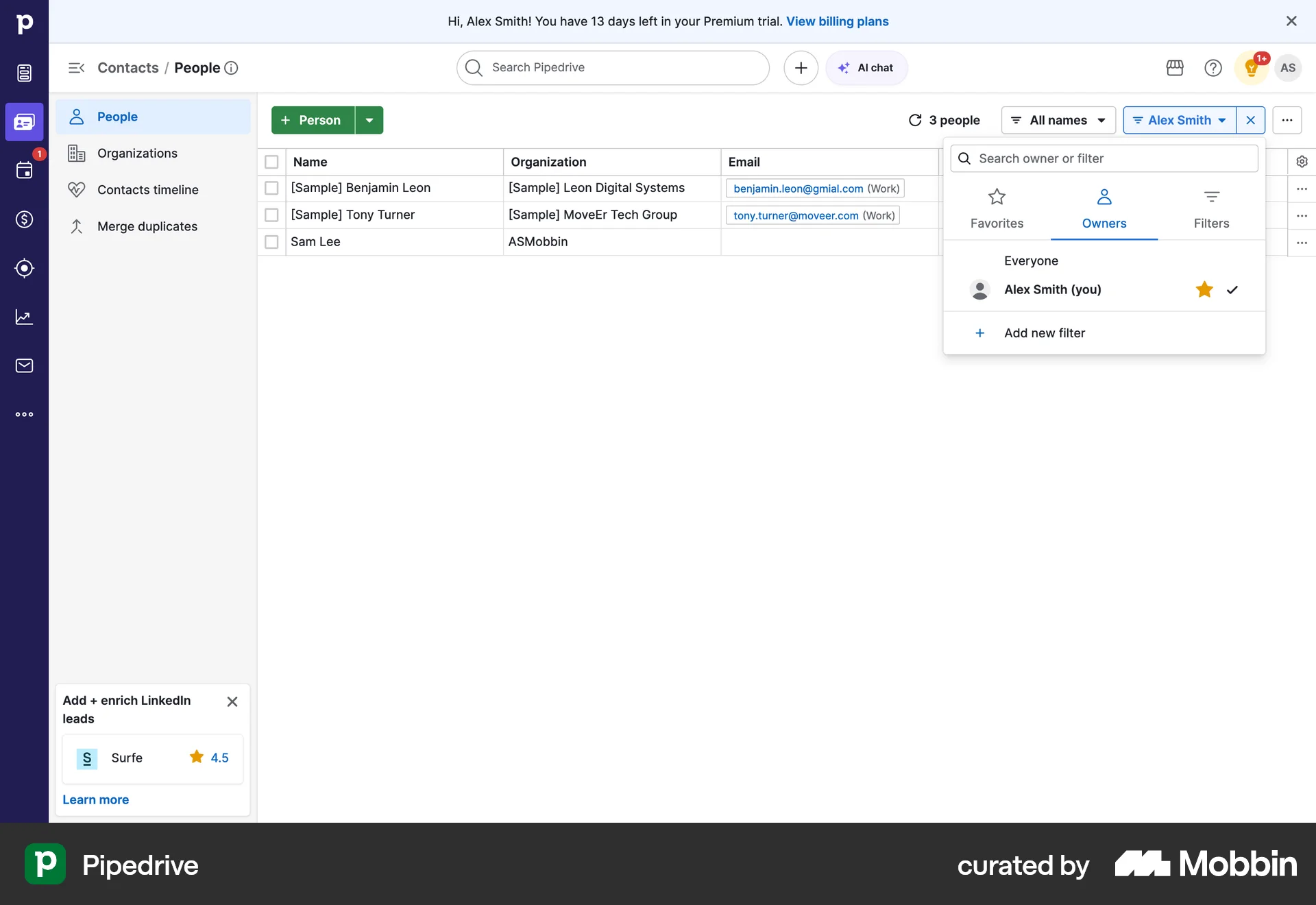
Pipedrive opens the owner filter on Everyone and marks the person's own name with (you).
The same owner list with no way to tell which name is the person's own.
Find organizations and people by search
A list of hundreds is searched. Organization and Person are never dropdowns: the person reaches them through the element’s search box and through the page scope.
Pass: no dropdown on any page lists organizations or people.
A search box, Search name, phone, email, sits beside the quick filters.
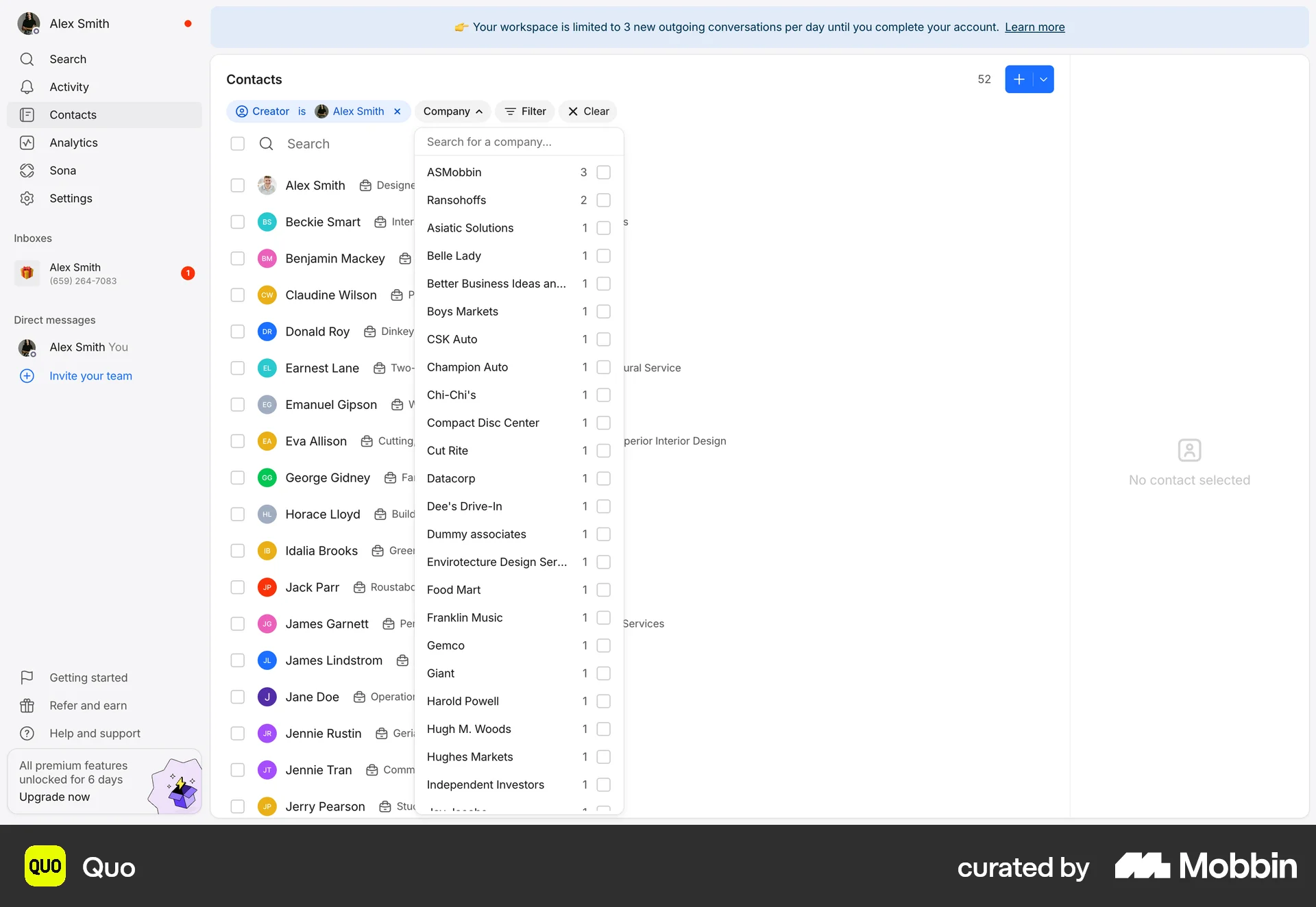
Quo's Company filter is a dropdown listing every company.
Order the tab bar the same way on every page
Time buckets come in one order: Overdue, Today, This week, Next week, No date. A tab by state, such as Parked, comes after the time tabs.
Pass: every page with tabs uses these names in this order.
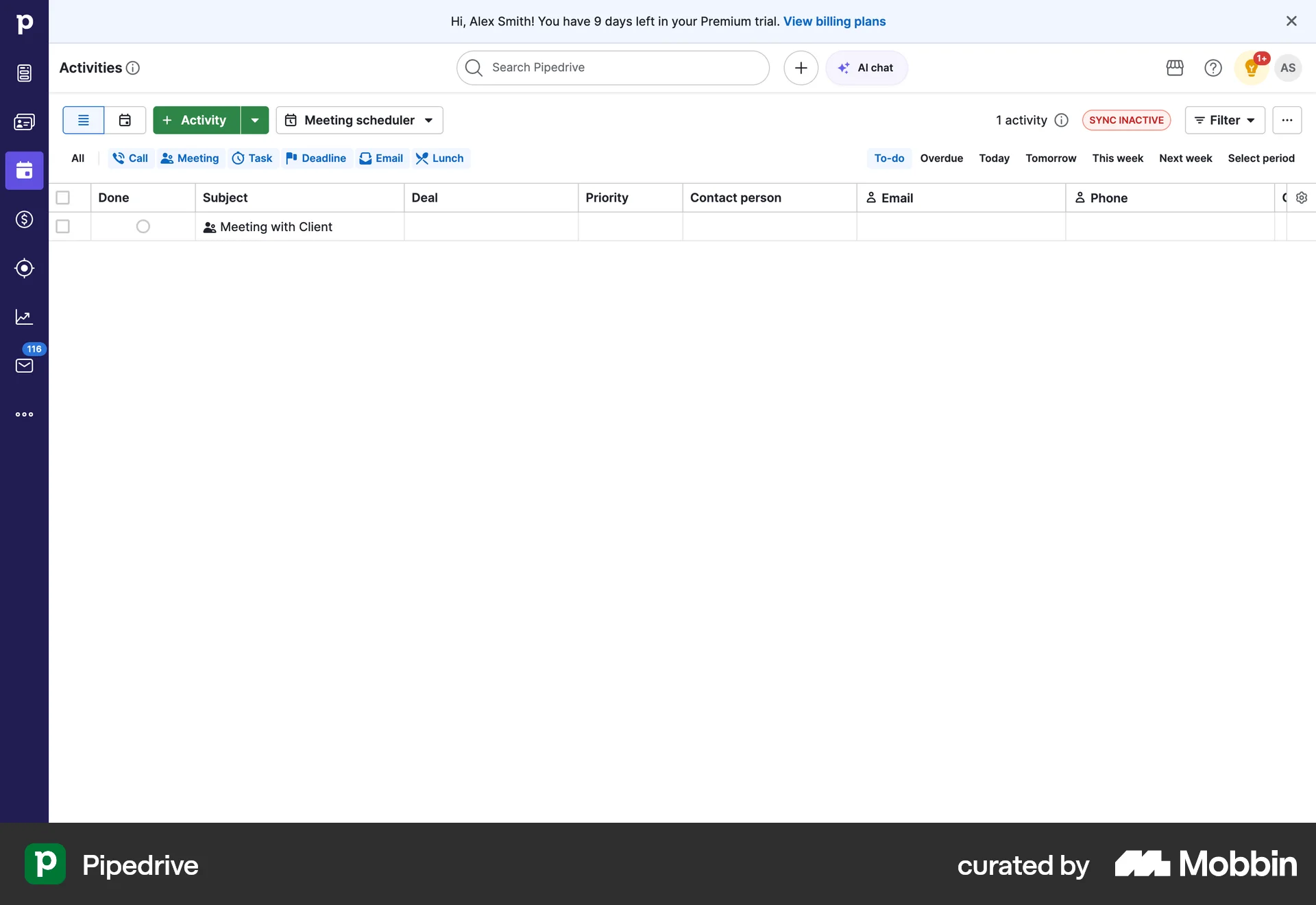
Pipedrive runs To-do, Overdue, Today, Tomorrow, This week, Next week.
The same list with tabs named Open and Other.
Keep the active criteria visible with a reset beside them
Every filter or sort in use shows on the bar, with its value, and a reset sits beside it. Resetting changes only the view.
Pass: with any filter applied, the person can read every active criterion on the bar and clear them in 1 click without leaving the page.
The active filter shows as a chip with an x, and Clear all sits beside it.
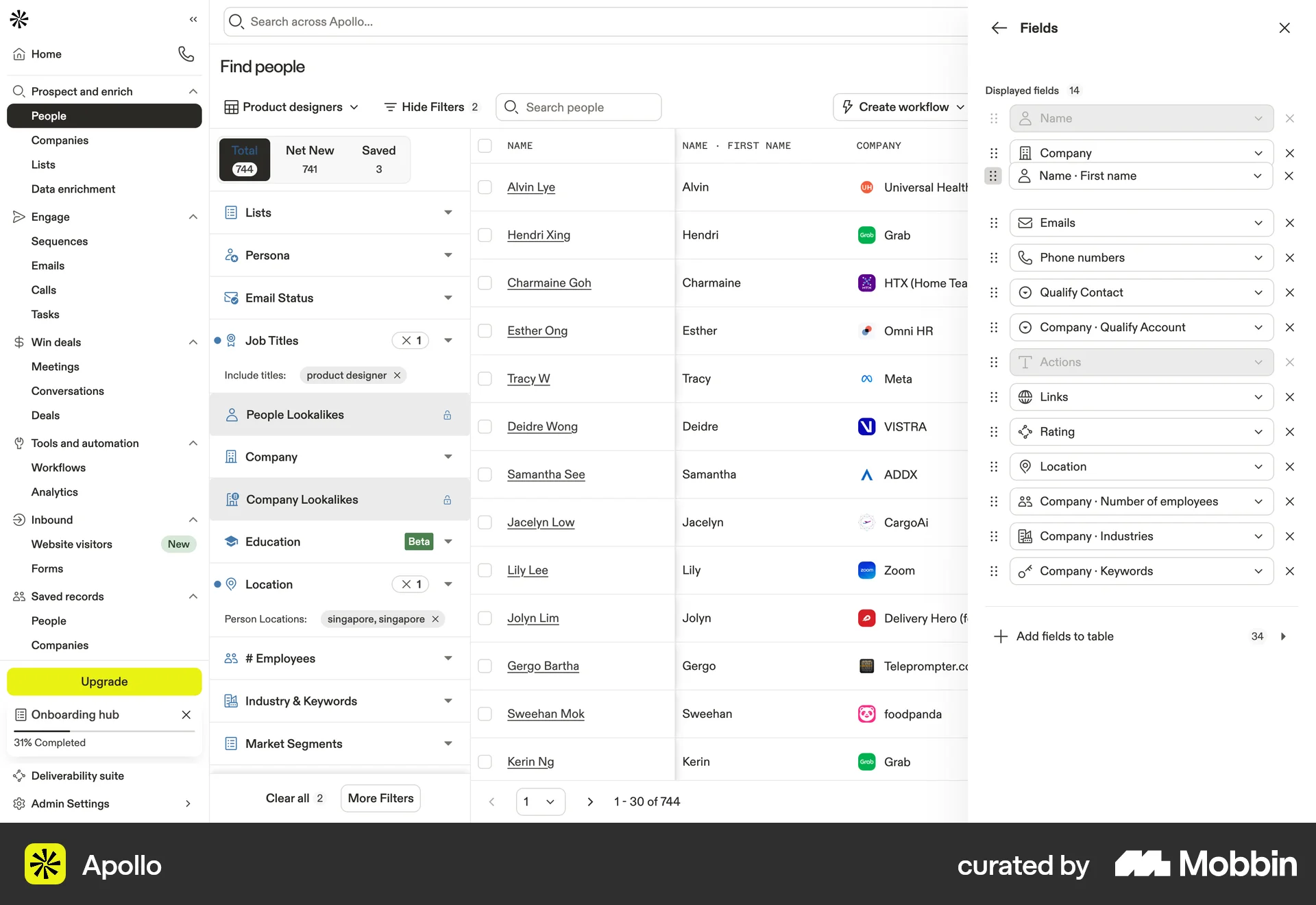
Apollo keeps the active filters inside a panel, with only a count of 2 on the button.
Research
The filter bar order comes from the comparison’s filter tables (comparison, lines 846 to 947): the owner first, then the creation date, the page’s action date and the domain select, with a More control for the rest.
The tab bar is copied from Pipedrive’s activities list, which runs To-do, Overdue, Today, Tomorrow, This week, Next week and Select period. We kept Overdue, Today, This week and Next week and added No date. Pipedrive’s people list shows the owner filter set to Everyone.
The reset rule shows the active filter as a chip with an x and Clear all beside it. The reviewer’s CRM usability comparison (2026-09-29/30) asks to “Keep CRM filter reset visible beside the active criteria.” (comparison, line 867) and to “Show the active stage/company criteria and a clear reset” (comparison, line 1756). For sorts it asks to “Expose the active rules.” with “Pass: active field/direction is visible beside reset, and resetting changes only the view.” (comparison, line 2624).
The reviewer’s feedback adds the reason for one search in one place: “all or the search components are different, in different places, in different sizes”.