
Feedback
A row says when it needs action, a change shows where it was made, and an empty tab still says what it holds.
When to use
Use it on every list, board, card or any screen where rows change state or wait for someone.
When not to use
Read-only reference pages have no state to show.
How it works
Say on the row that it needs action
A row that needs action says so on the row, through a computed urgency text, the intake check or a colour.
Pass: every row that needs the person today shows it on the list, with 0 records opened.
Cards say No activity for 2 days and No activity scheduled on the card itself.
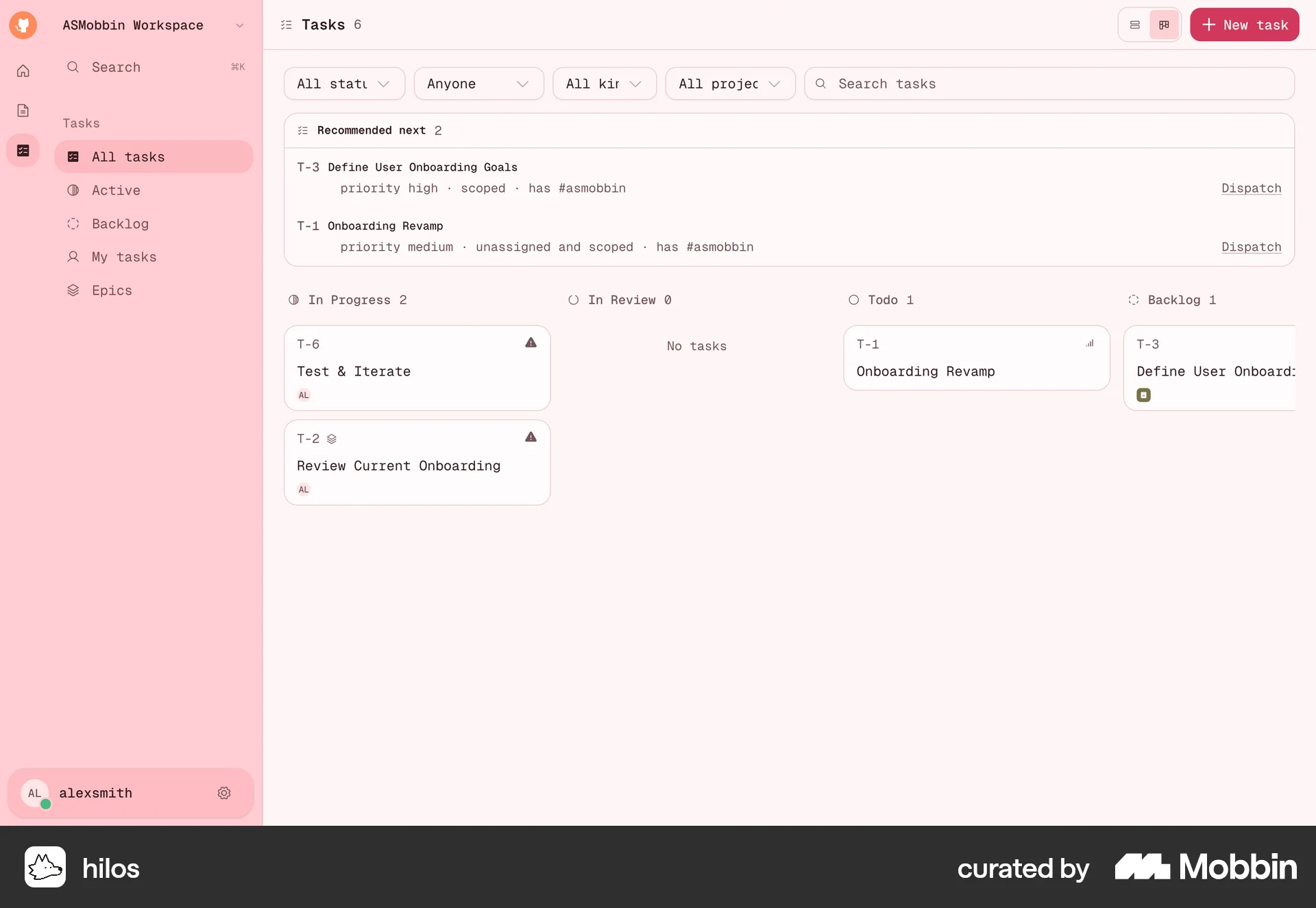
hilos cards show only the title; the activity state is in the detail.
Show a change where the person made it
The card moves to its new stack, or the row leaves its tab. After a form, the person lands on the record it created.
Pass: after a change, the result shows in the same spot with 0 reloads and 0 clicks.
Name an empty tab for what it holds
An empty tab means nothing to do, so its name says what would be in it.
Pass: every tab with 0 rows has a name that says what would be in it.
- Replace this
- Other
- With this
- No date
Put the numbers people compare on the card
A count, an amount or a percentage of a target sits on the card and takes a colour when it crosses a threshold. See numbers.
Pass: the person tells which cards are over or under target with 0 cards opened.
Show a change on a child on the parent it feeds
When a record feeds a field on its parent, the parent shows the change the next time it opens. A value the person negotiated is replaced only when they choose to.
Pass: log a next step on an interaction, reopen the person and the due-work queue, and find the same text and date without retyping; change the offer on a deal, and the deal asks before it updates the amount.
The relationship shows the new Next action and its date when it reopens.
The interaction saves the next step and the relationship's Task and Due date stay blank.
Research
The state on the card comes from the comparison’s pipeline boards, where a card reads “No activity for 2 days” and “No activity scheduled”.
The parent rule comes from the reviewer’s CRM usability comparison (2026-09-29/30) (comparison, lines 2716 to 2736) and has no screenshot. In our CRM the logged next step saved, but the related Due date and Task “stayed blank during about 90 seconds”. The comparison asks to “Save the agreed next step on the linked person.” (comparison, line 2724), and to “Offer an explicit deal-amount update.” (comparison, line 2725), where “accepting updates the amount, declining preserves the negotiated value”.
The other rules have no outside source and come from the reviewer’s feedback on an ordering system. After “Create Order” simply emptied the card, the reviewer wrote: “I am left confused if the order went through or not”. After sending a count to review, the reviewer asked why the page did not reload into the review, since “it would assure the user that it worked”.